Thermal false-color look. 2020s: Filter revival of an older sensor aesthetic
Typeface · Bungee
Thermal false colors: modern digital simulation, not thermal imaging measurement.Digital effect demonstration.
Prompt
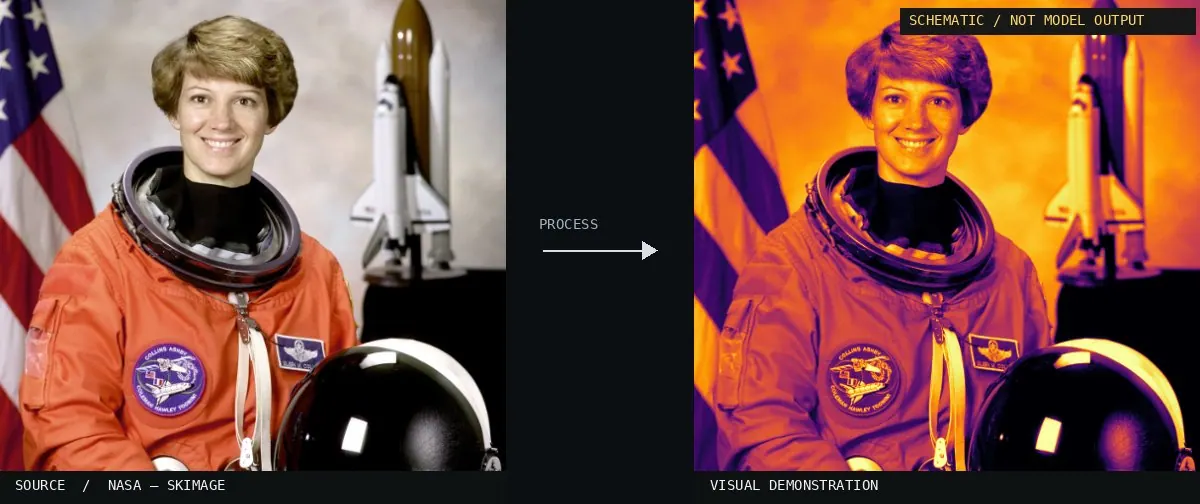
Apply a Thermal False Color effect by mapping image brightness into deep violet, cobalt blue, cyan, yellow, orange, and white zones. Use smooth color transitions, slightly softened boundaries, and fine sensor-like noise, suggesting heat imagery without adding measurements or diagnostic labels. Keep the original subject and composition.
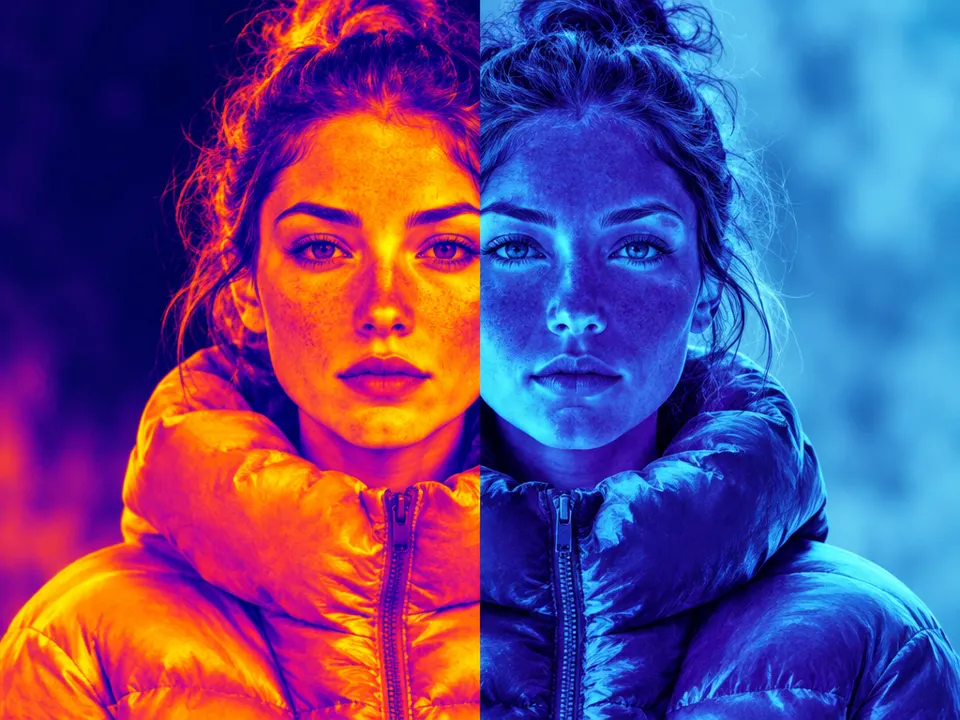
True thermography measures radiation in asuitable infrared spectral range and often displays measurements using afalse-color palette. This slide, however, deals with the graphical thermal look of an ordinary photo or video. Adigital filter assigns visible image values and does not detect heat or temperature. The placement in the 2020s describes this current filter application, not the invention of thermal imaging devices. This distinction is particularly instructive: The same person can appear hot or cold depending on the palette, even though only the display has changed. Therefore, when viewing sensor images, always check what data was actually recorded.
Distinction
Athermal filter on anormal photograph does not measure temperature and does not detect heat radiation.
Further examples · 12 images
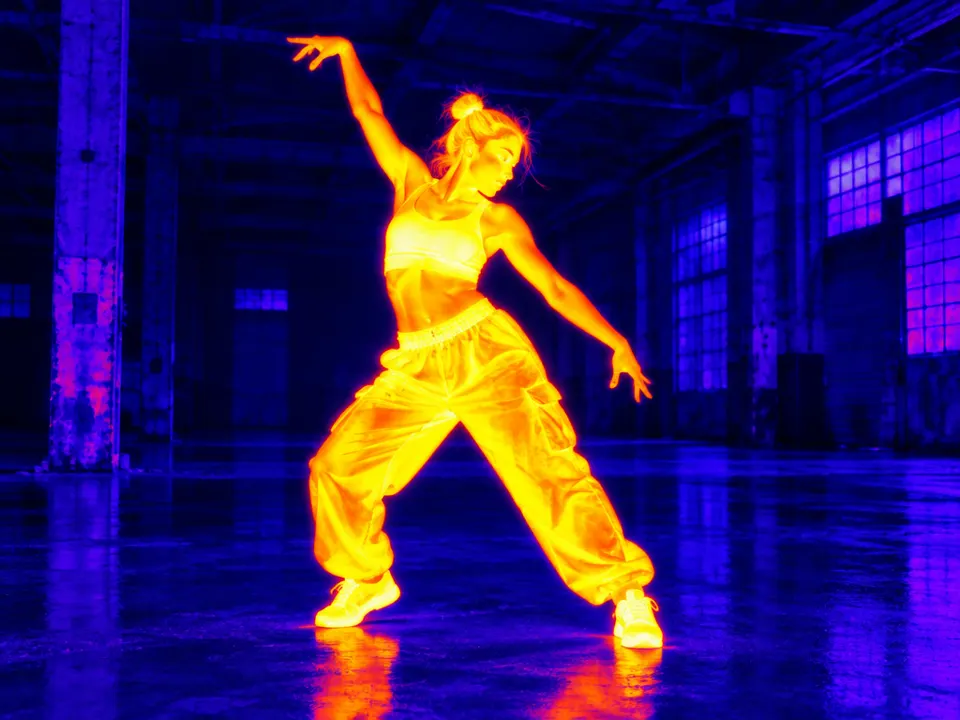
02Mid-infrared false-color images of 9P-Temple (geminiann05010a)These astronomical images use a high-contrast rainbow gradient to represent intensity levels. The resulting aesthetic closely matches the graphical 'thermal' filters used in modern video editing to simulate heat signatures.International Gemini Observatory/NOIRLab/NSF/AURA · CC BY 4.0 · Wikimedia Commons03Full sky maps of the thermal Sunyaev–Zel'dovich effect as quantified by the Compton y parameter (equation 8) for different redshift intervalElliptical sky maps utilize a violet-to-orange gradient to represent temperature fluctuations. This demonstrates a scientific application of the false-color palette to visualize data that is otherwise invisible to the human eye.Authors of the study: Schaye, Joop ; Kugel, Roi ; Schaller, Matthieu ; Helly, John C. ; Braspenning, Joey ; Elbers, Will · CC BY 4.0 · Wikimedia Commons04Thermal-Bridge-Attic-temperatureA cross-section of an attic shows temperature distributions using a rainbow gradient. This illustrates how false color palettes visualize data values, a technique emulated by aesthetic thermal filters in photography.HTflux · CC BY-SA 4.0 · Wikimedia Commons05Rainbow gradient scale, red to purple, divided 1-200A linear rainbow gradient scale displays a spectrum from red to blue. This serves as the underlying color map used in digital filters to replace brightness with specific hues.Kingsif · CC BY-SA 4.0 · Wikimedia Commons06AI illustration: A split portrait shows the same face under two different color mappingsA split portrait shows the same face under two different color mappings. The left side uses warm yellow-orange tones while the right uses cool blue tones, demonstrating how digital palettes redefine perceived temperature.Illustration generated for the Atlas (AI)07AI illustration: A dancing figure is rendered in vibrant yellow and orange against a dark A dancing figure is rendered in vibrant yellow and orange against a dark purple background. The high-contrast palette isolates the subject by mapping brightness to a simulated heat signature typical of music video aesthetics.Illustration generated for the Atlas (AI)08Thermal False Color — machine versionSchematic or classical approach — not a trained AI model output.Atlas of Visual Effects09Thermal False Color, applied to “Darwin (AU), Stokes Hill Wharf -- 2019 -- 4362”A wharf and sky are rendered with a yellow-to-blue gradient. The color mapping simulates heat distribution by translating photo luminance values into a technical false color scale.Dietmar Rabich (photo); processed for the Atlas · CC BY-SA 4.0 · Wikimedia Commons10Thermal False Color, applied to “Esprit nomade”A desert landscape shows a human figure against a sand dune. The blue shadow and figure contrast with the yellow sand, mimicking a temperature-sensitive imaging system.Hamdanmourad (photo); processed for the Atlas · CC BY-SA 3.0 · Wikimedia Commons11Thermal False Color, applied to “Stopwatch, 1810201155, ako”A stopwatch is displayed with a bright yellow face and blue background. High-luminance areas appear hot, demonstrating how a lookup table creates a machine-vision aesthetic.Ansgar Koreng (photo); processed for the Atlas · CC BY-SA 4.0 · Wikimedia Commons12Thermal False Color, applied to “Le chamelier”A camel and a man are depicted with a high-contrast thermal palette. The effect uses blue for shadows and yellow for highlights, imitating the output of an infrared sensor.Fawzi Demmane (photo); processed for the Atlas · CC BY-SA 4.0 · Wikimedia Commons
Question
Is a red area in a false-color image necessarily hotter?
Show possible answer +Hide answer −
Only if the underlying measurement and the legend define it. In the photo filter, red can be assigned arbitrarily.

_for_different_redshift_intervals.jpg)


,_Stokes_Hill_Wharf_--_2019_--_4362.jpg)


