H 153 / 3211960s

Jump Cut

1960, Jean-Luc Godard's Breathless
Typeface · Epilogue

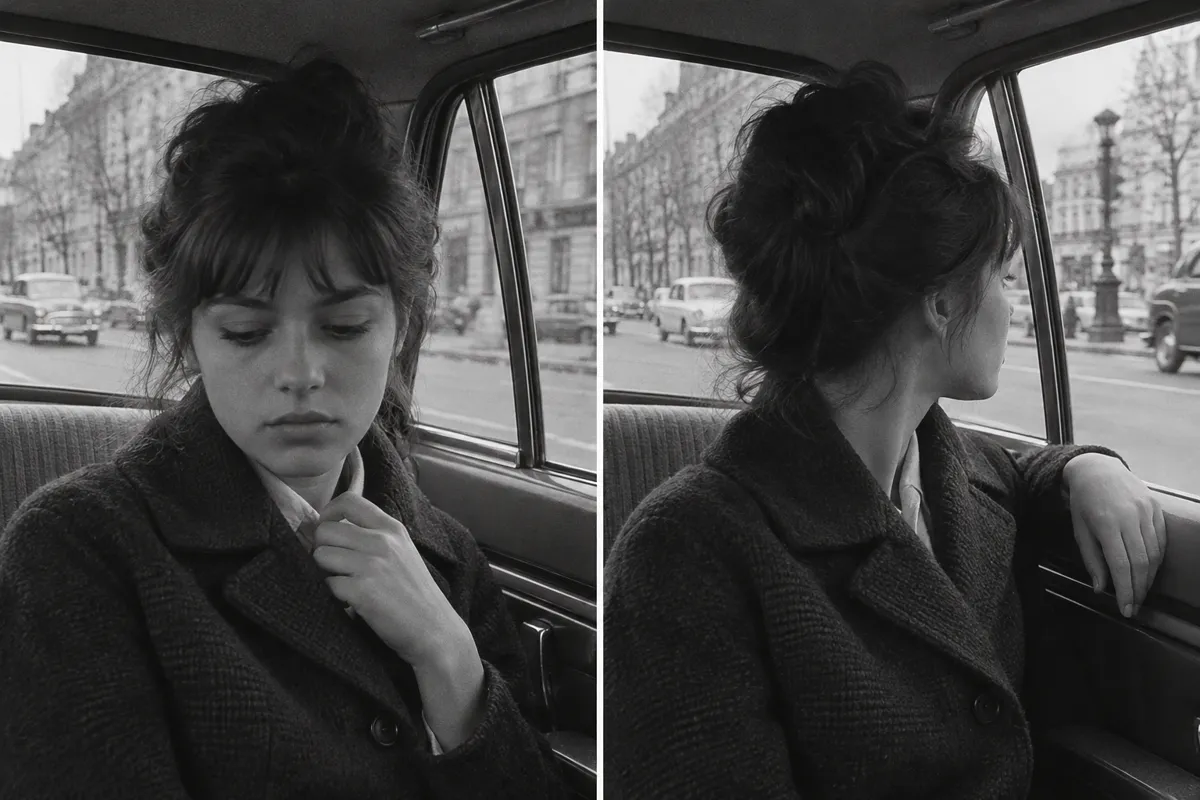
AI illustration: Abrupt temporal shift in a taxi interior.
AI illustration: Abrupt temporal shift in a taxi interior.Illustration generated for the Atlas (AI)View source ↗

Prompt

Apply a Jump Cut effect represented within a single still through sharply interrupted, slightly displaced fragments of the existing subject. Keep the background registered, use abrupt hard-edged discontinuities rather than smooth motion blur, and add restrained film grain to suggest missing moments in a continuous shot. Keep the original subject and composition.

Identify

You see a sudden, jarring skip forward in time within the same scene. The subject appears to instantly teleport to a slightly different position.

Principle

An editor removes a middle section of a continuous film take1. They then splice the remaining two pieces together.

Example

Jean-Luc Godard: Breathless (À bout de souffle), 1960.

Try it out

Record a video of yourself talking, then delete a random two-second chunk from the middle and watch the jarring skip.

Background

Early filmmakers like Georges Méliès used jump cuts to create magical illusions. However, classical Hollywood editing strictly avoided them to maintain a smooth flow of time. This changed in the late 1950s and 1960s with the French New Wave2. Jean-Luc Godard famously embraced the technique in his 1960 film Breathless. To shorten scenes without losing pacing, he cut out sections of single takes. This broke traditional rules of spatial and temporal continuity3. The jarring visual jumps reminded audiences they were watching a constructed movie. It shifted film editing from an invisible craft to a highly visible artistic tool.

Distinction

Unlike a standard cut between two different camera angles, a jump cut stays on the same framing. This makes the missing time obvious and visually jarring.

Aftermath

It proves that audiences can understand a story even when edits intentionally break the illusion of continuous time.

Further examples · 7 images
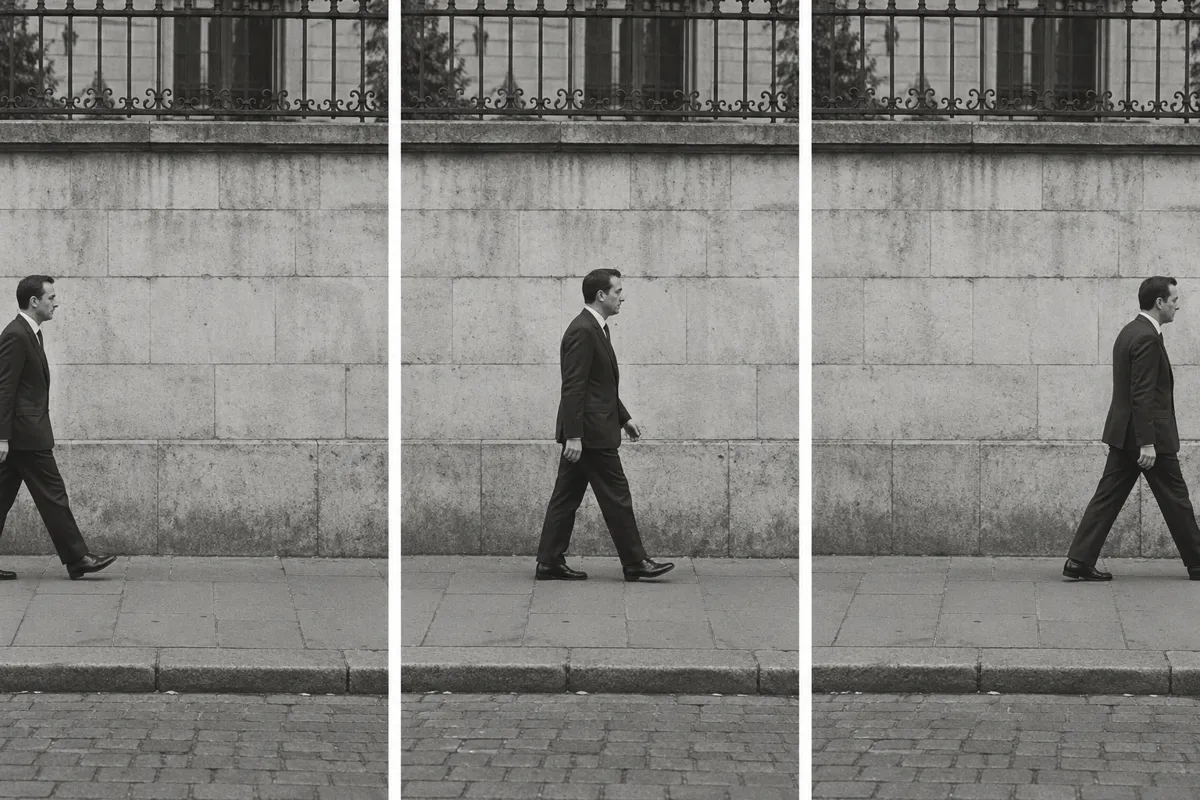
AI illustration: Discontinuous movement across a static background
02 AI illustration: Discontinuous movement across a static backgroundThree panels show a man walking against a stone wall, appearing in different stages of a stride without a change in camera angle. The lack of transitional movement between these frames demonstrates a sequence of intentional elliptical edits.Illustration generated for the Atlas (AI)
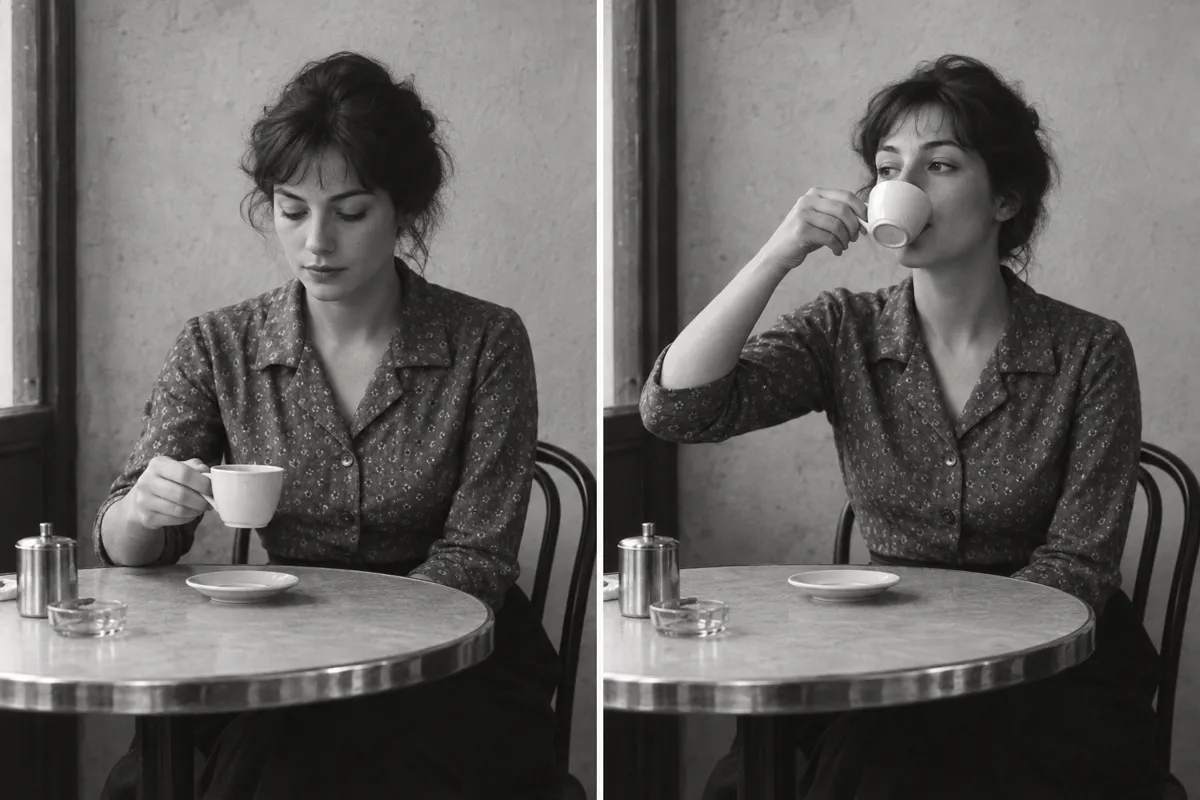
AI illustration: Elliptical editing of a simple domestic action
03 AI illustration: Elliptical editing of a simple domestic actionA woman at a cafe table is captured in two adjacent frames, moving instantly from looking at her cup to drinking from it. This represents a classic use of the technique to condense time within a single, fixed camera setup.Illustration generated for the Atlas (AI)
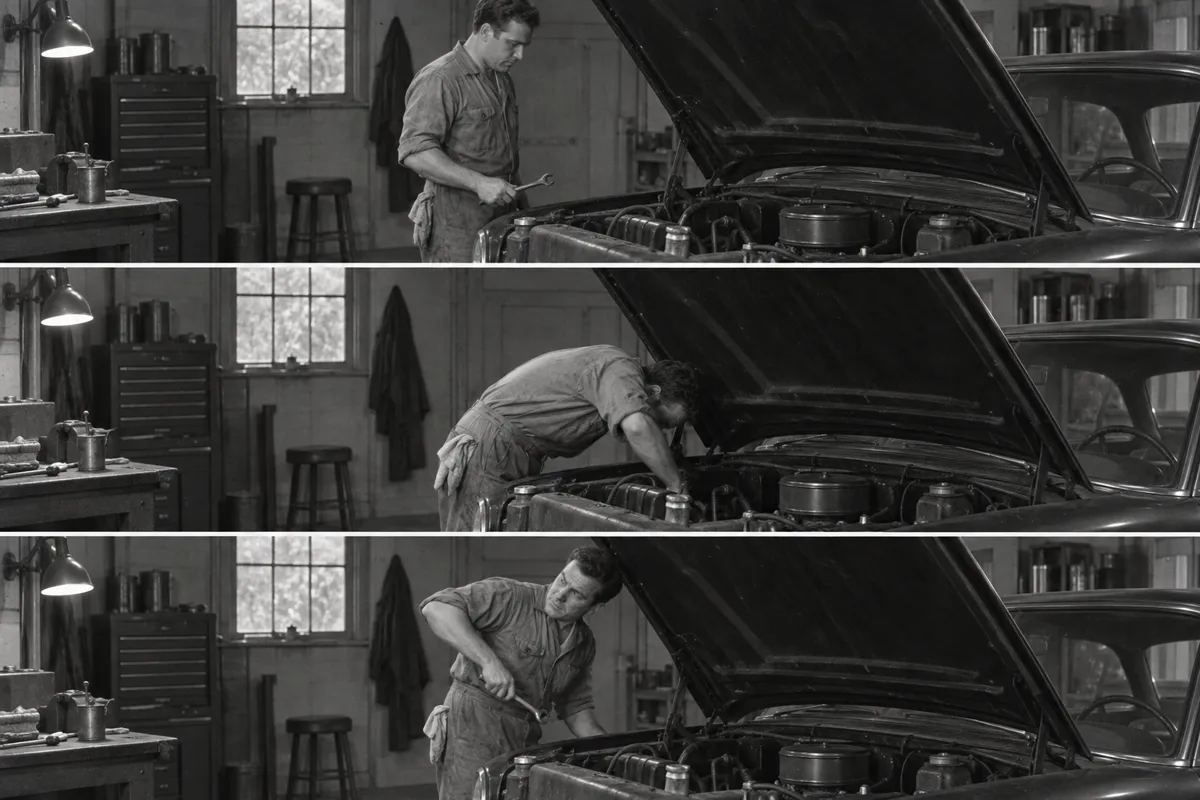
AI illustration: Condensing mechanical labor through discontinuous cuts
04 AI illustration: Condensing mechanical labor through discontinuous cutsA mechanic is shown in three vertical frames working on a car engine, with his body orientation changing sharply in each. The static environment highlights the sudden 'jump' in the subject's posture resulting from missing footage.Illustration generated for the Atlas (AI)
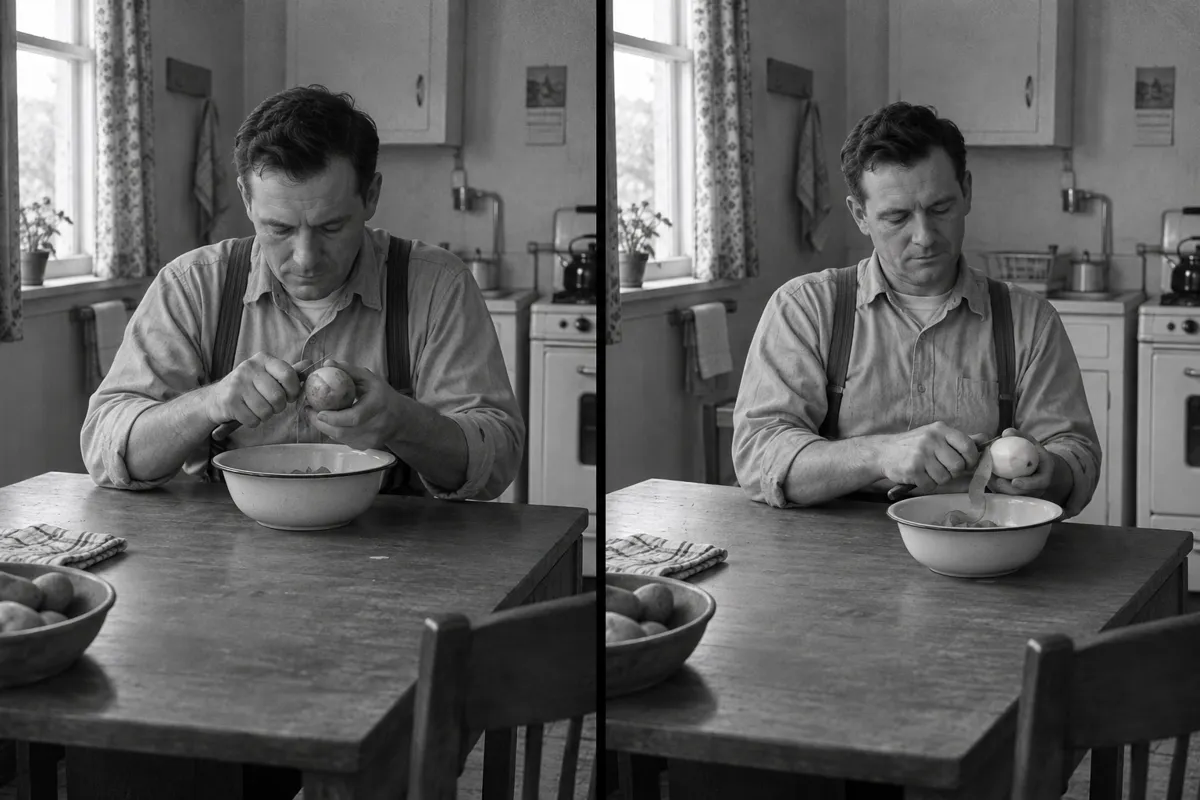
AI illustration: Temporal skip during a repetitive task
05 AI illustration: Temporal skip during a repetitive taskTwo frames show a man peeling a potato, with his hands and the state of the vegetable changing instantly between images. The visual jar created by the slight mismatch in his physical position is the defining characteristic of this editing style.Illustration generated for the Atlas (AI)
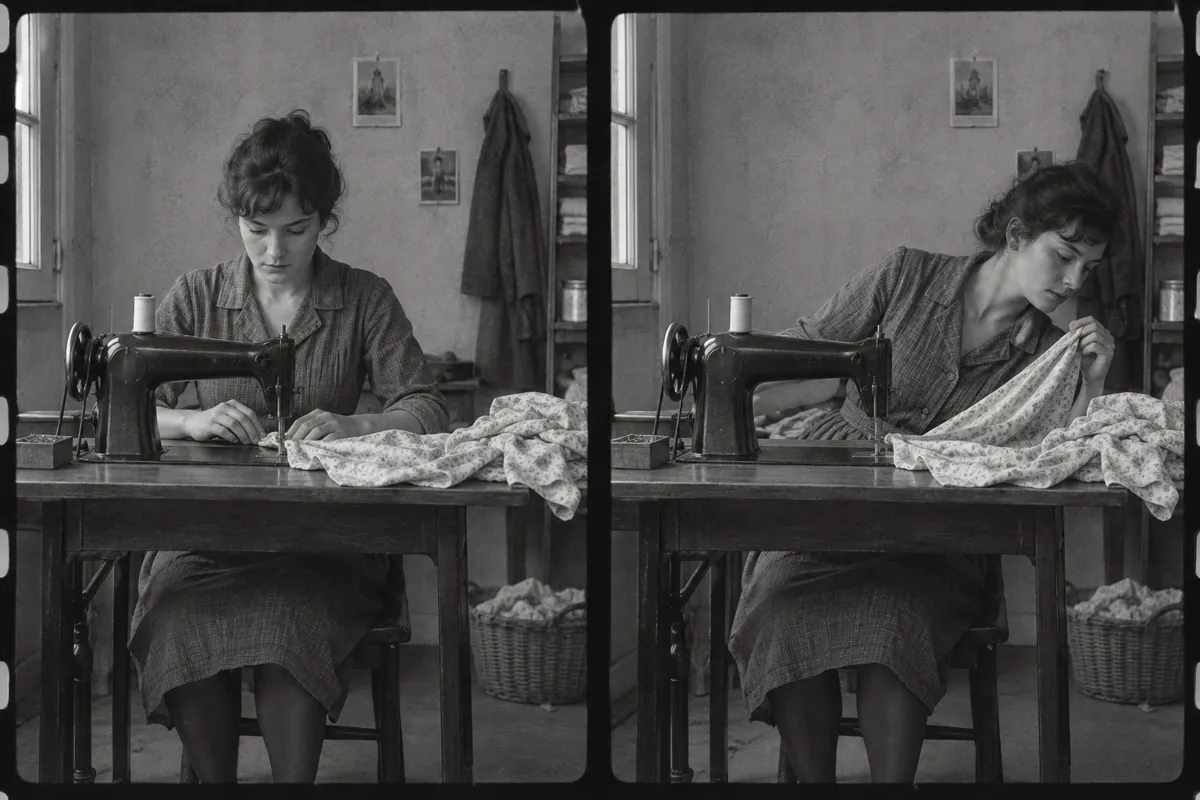
AI illustration: Jarring continuity break in a sewing scene
06 AI illustration: Jarring continuity break in a sewing sceneSide-by-side film frames show a seamstress whose posture and fabric handling change significantly while the room remains still. This clear break in continuity within the same space exemplifies the 'teleportation' effect of the technique.Illustration generated for the Atlas (AI)
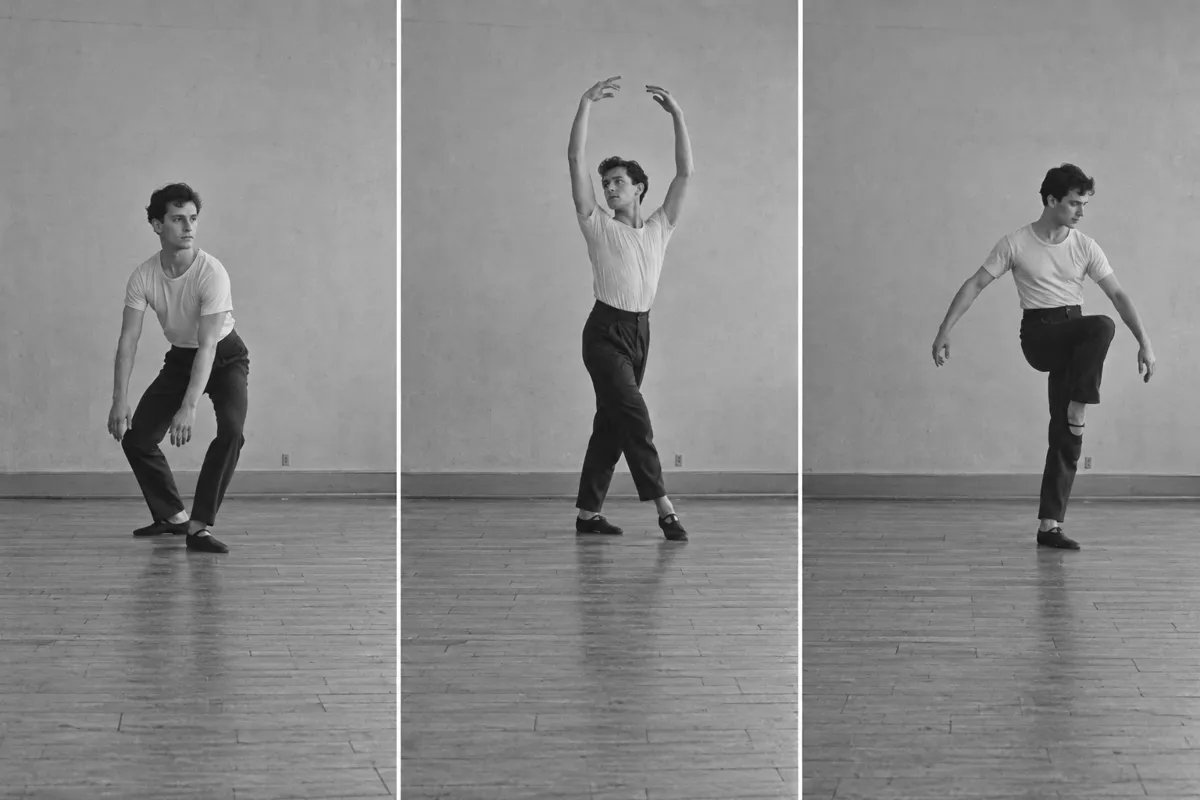
AI illustration: Staccato movement through elliptical film splicing
07 AI illustration: Staccato movement through elliptical film splicingA dancer is depicted in three distinct poses across a studio floor without any visible transition between the movements. These frames simulate the rhythmic, staccato feel of a scene where the middle of the action has been excised.Illustration generated for the Atlas (AI)

Question

Why did classical Hollywood films avoid jump cuts?

Show possible answer +

Hollywood prioritized invisible editing to keep viewers completely immersed in the story. Jump cuts were avoided because they exposed the artificial filmmaking process.

Sources