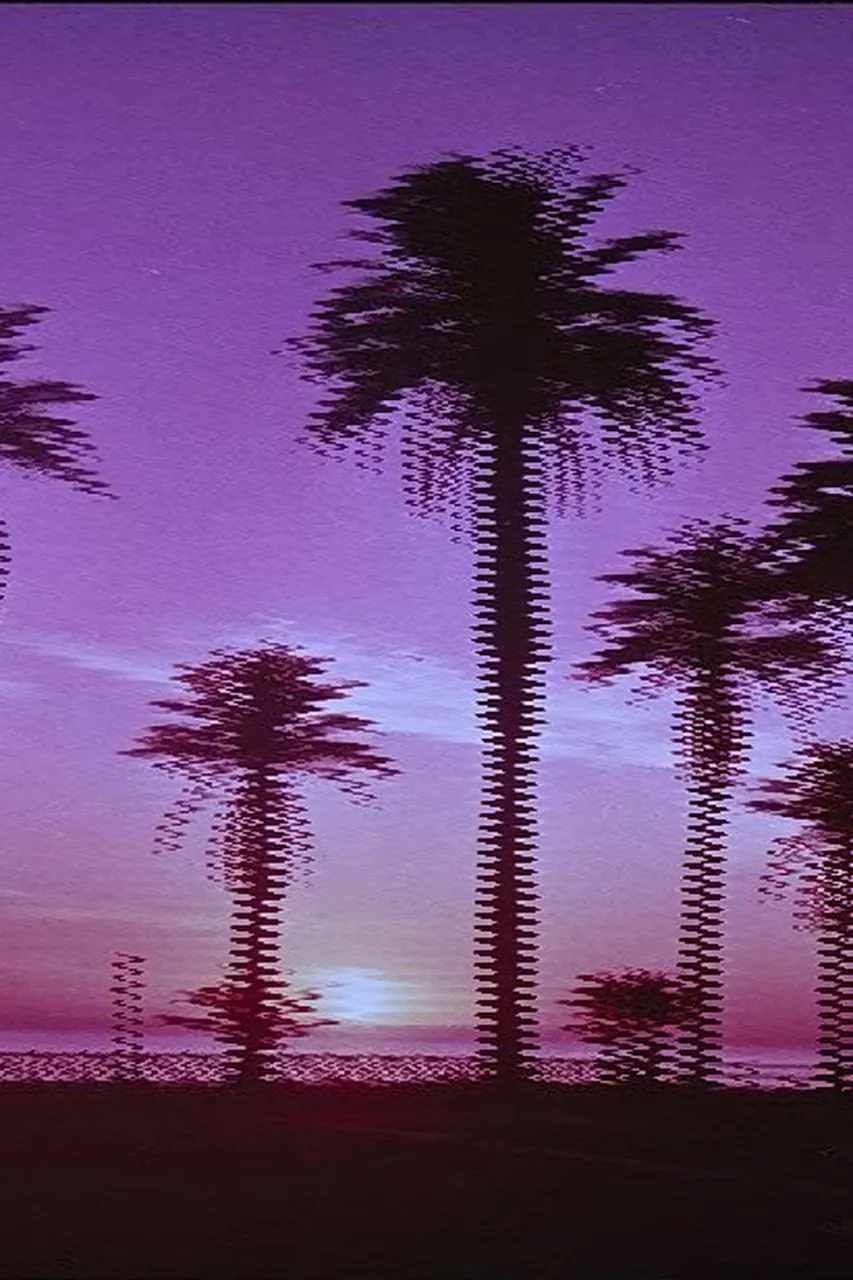
Interlacing / combing. 1936: BBC television with 405 interlaced lines; today's look simulation.
Typeface · Share Tech Mono
Interlacing-inspired line distortion, today's digital effect demonstration.Digital effect demonstration; visual simulation, not a true half-frame capture.View source ↗
Prompt
Apply an Interlacing effect using fine alternating horizontal scan lines and slightly offset image fields. Add comb-like teeth along moving-looking contours, narrow horizontal edge breaks, mild color bleeding, and restrained analog video noise, leaving stationary areas relatively coherent. Keep the original subject and composition.
Moving contours break down into [alternately offset lines].
Principle
[Two half-images1], [separated by atime difference], are falsely displayed as asingle full image.
Example
Digital effect: interlacing-inspired look.
Try it out
Compare true interlaced images with aline distortion preset.
Background
Interlacing transmits the two line groups of atelevision image alternately. This saves transmission bandwidth at ahigher temporal sampling rate than afull frame at the same frame rate. If two different phases of motion are shown simultaneously on aprogressive display, comb edges can appear. The decade designation refers to early television history, while the illustration explicitly shows acurrent design approach. Adobe documents the correct processing of field order and deinterlacing2.
Distinction
Adigital filter simulates broken lines using displacement and sharpening. It does not create true interlaced encoding and does not replace deinterlacing.
Aftermath
Atechnical conversion error can become adistinct visual style.
Further examples · 8 images
02Birds In Motion Interlacing ExampleA coastline with birds in flight shows distinct horizontal line displacements. The comb edges occur because the birds move between the capture of alternating line fields.LiamZ2r · CC0 · Wikimedia Commons03Entrelacé ProgressifTwo cars are compared in interlaced and progressive display formats. The upper image shows serrated contours on the moving vehicles, a typical artifact of combined temporal phases.The original uploader was Zewan at French Wikipedia. · CC BY 1.0 · Wikimedia Commons04Interlacing demoThree panels illustrate a sky pattern in progressive and interlaced scan modes. The middle panel shows how interlacing displays only half the vertical information per field.en:User:Grayshi (formerly named en:User:Eugene2x), based on work by Algr · Public domain · Wikimedia Commons05Interlace wayneA tennis player is shown with horizontal line artifacts across his white clothing. The lateral motion creates an offset between the odd and even scan lines.Wayneyang · Public domain · Wikimedia Commons06Indian Head interlaceSix variations of a television test pattern demonstrate different scanning methods. The central column highlights horizontal line structures and flickering artifacts inherent in interlaced systems.RCA_Indian_Head_test_pattern.JPG: RCA derivative work: Damian Yerrick (☎) · Public domain · Wikimedia Commons07Combing effectA person in a room moves quickly, resulting in a blurred and jagged silhouette. The combing effect is highly visible where the subject's movement exceeds the field rate.Jose leal AV · Public domain · Wikimedia Commons08Campo Impar entrelazadoA cat is shown with only the odd-numbered scan lines visible. This illustrates the 'Campo Impar' or odd field component of a complete interlaced television frame.Jose leal AV · Public domain · Wikimedia Commons
Question
Why do stationary subjects often not show comb edges?
Show possible answer +Hide answer −
Their position does not change between the two interlaced fields. Therefore, the lines are spatially aligned.