Super-Resolution / Upscaling. ai pipelines & generative controls
Typeface · Tomorrow
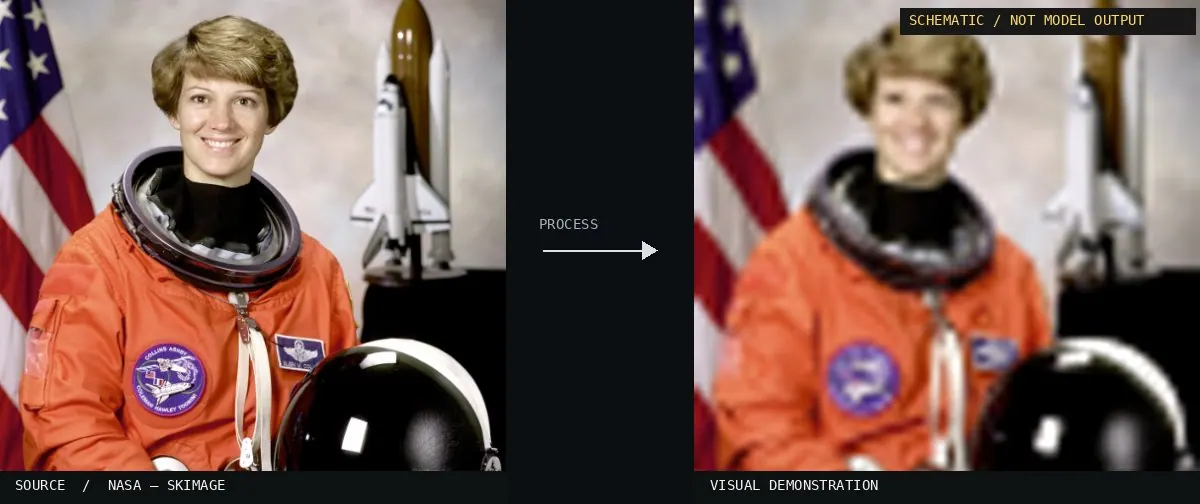
Schematic or classical approach — not a trained AI model output.Image: NASA / Eileen Collins · scikit-image (public domain)View source ↗
Prompt
Apply Super-Resolution, enlarging the image with cleaner diagonal edges, smoother pixel staircases, and restrained recovery of fine texture. Clarify hair strands, fabric weave, and small existing details where supported, while preserving natural grain and avoiding invented markings, waxy surfaces, or strong sharpening halos. Keep the original subject and composition.
02Super-resolution example closeupA side-by-side comparison shows the word 'TIME' and a pink object with varying clarity. The right panel demonstrates super-resolution by reducing digital noise and sharpening edges compared to the blurred source on the left.User:Omegatron · CC BY-SA 3.0 · Wikimedia Commons03An example of super resolution with still RAW photo.This RAW photo crop displays a fan motor label with technical text and a triangular logo. The right image illustrates super-resolution by reconstructing legible characters and smoother gradients from the grainy, low-definition original.Almalence, Inc. · CC BY 3.0 · Wikimedia Commons04Video Super Resolution output and cropsAnimated crops highlight a chairlift and a snowboarder against a snowy landscape. It demonstrates video super-resolution by enhancing small, distant details that would typically be lost in low-resolution video frames.Outside Adventure Media; EvgeneyZimin (derivative work) · CC BY 3.0 · Wikimedia Commons05Upscaling comparisonA comparison between a low-resolution scan and two different digital reconstructions. The bottom images demonstrate how machine-based upscaling attempts to hallucinate missing skin and hair details compared to the grainy original.Belbury · Public domain · Wikimedia Commons06Beispiel Upscaling per AI 20210316 10 28 40A side-by-side comparison of a timber-framed building crop. The left side shows a neural upscaling result with sharpened edges and synthetic texture, while the right side shows the softer, blurred result of standard interpolation.PantheraLeo1359531 · CC0 · Wikimedia Commons07Beispiel Upscaling per AI (Text) 20210316This image compares the reconstruction of a parking sign. The neural-enhanced version on the left exhibits sharper character outlines and higher contrast than the traditional upscaling on the right.PantheraLeo1359531 · CC0 · Wikimedia Commons08Vergleich Original und GAN-Upscaling Real-ESRGAN 20210817A multi-panel comparison of original low-resolution crops versus Generative Adversarial Network (GAN) outputs. The GAN panels demonstrate the synthesis of fine surface textures and sharper edges from low-density pixel data.PantheraLeo1359531 · CC BY 4.0 · Wikimedia Commons09Lilith original vs. AI “upscale”Side-by-side details of a classical painting before and after neural processing. The enhanced crops show a significant increase in perceived sharpness and the removal of digital artifacts through statistical reconstruction.John Collier and some clanker · Public domain · Wikimedia Commons10L’Arrivée d’un train en gare de La Ciotat (human vs. AI)Comparison of a historic film frame processed with neural upscaling. The left version shows synthesized details and edge definition intended to modernize the low-resolution archival source.Original creators: Auguste Lumière and Louis Lumière
The videos from which the screenshots were taken uploaded to Wikime · Public domain · Wikimedia Commons11XBR 4x sprite scalingA comparison between a low-resolution pixel art sprite and its upscaled version using the xBR algorithm. It demonstrates how scaling filters reconstruct edges and smooth transitions from a blocky source grid.New editing editor · CC BY 4.0 · Wikimedia Commons


_20210316.png)


.png)
