Split toning. 2010s preset culture; chemical precursors significantly older
Typeface · Playfair Display
Adobe tutorial example: digital split toning with separate highlight and shadow colors.Adobe / Teaching example; not a historical recordingView source ↗
Prompt
Apply Split Toning with muted teal coloring in shadows and soft peach-gold coloring in highlights. Blend the two hues gradually through neutral midtones, preserving luminance detail, natural edge definition, and restrained saturation. Maintain distinct tonal color separation without adding colored outlines or texture overlays. Keep the original subject and composition.
Analog toning could alter shadows and highlights differently. Digital programs made this logic easily repeatable as acombination of sliders. Lightroom long offered separate shadow and highlight colors for this purpose; in 2020, Adobe expanded the principle with color grading that included additional midtones. Agood learning objective is to guide the mood with subtle color shifts and to consciously control skin tones.
Distinction
Split toning refers to two differently tinted brightness ranges and is not aselective object coloring. The presence of multiple colors in an image does not prove this technique. The decade mark indicates the digital learning and preset context, not the origin of chemical split toning.
Aftermath
Color can structure brightness instead of changing the color of objects.
Further examples · 12 images
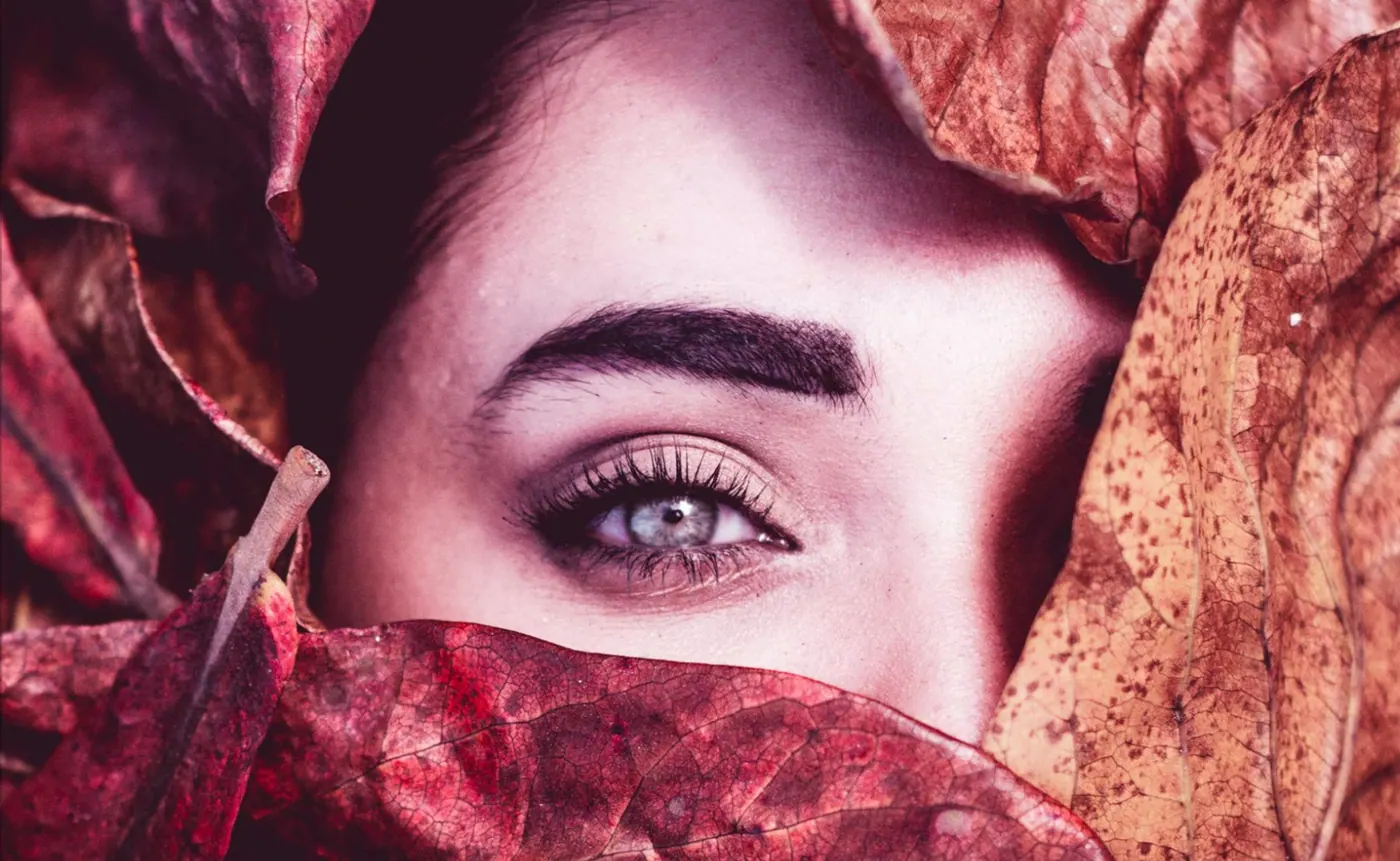
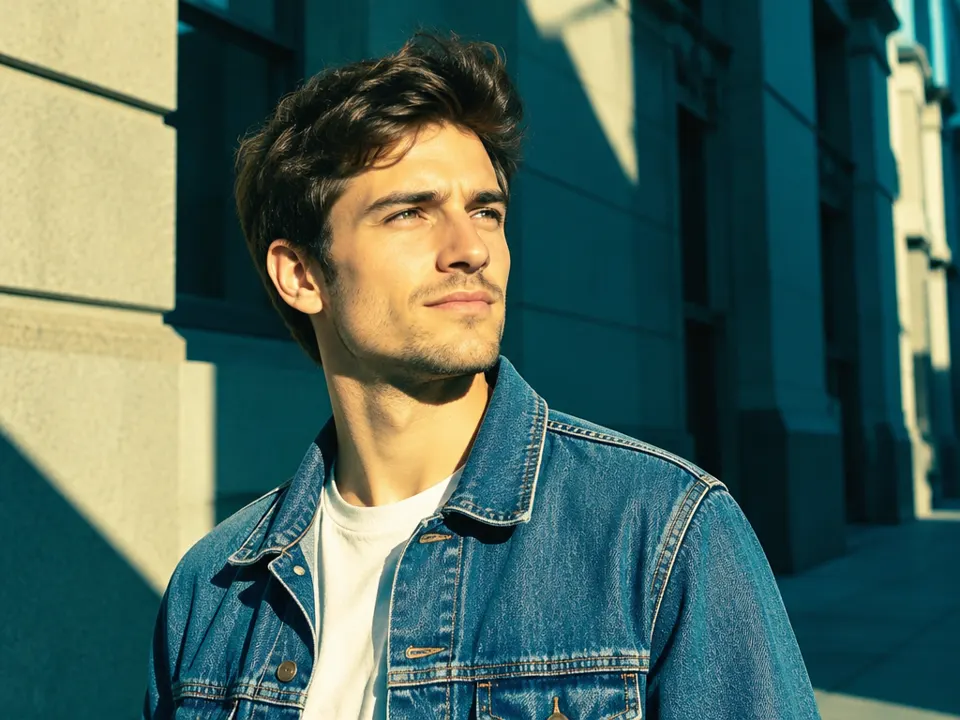
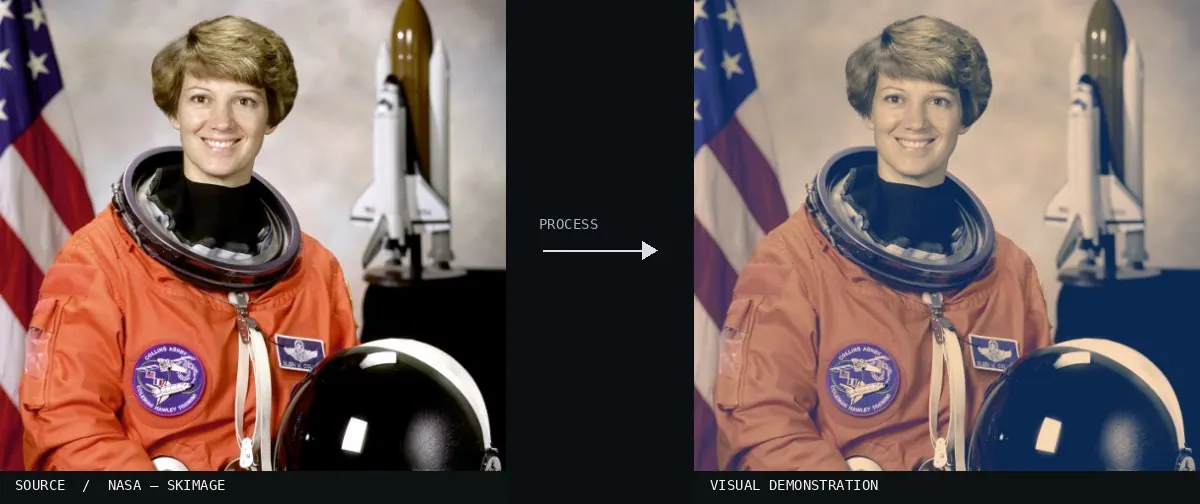
02Carla (8644102566)The portrait utilizes a teal tint in the shadows and a warmer, creamy tone in the highlights. This color contrast creates depth and a stylized aesthetic common in digital photography.Lies Thru a Lens · CC BY 2.0 · Wikimedia Commons03Split Toning, applied to “Amboy (California, USA) -- 2012 -- 4”A roadside motel sign stands against a desert sky. Warm yellow highlights contrast with cool blue shadows in the sky and ground.Dietmar Rabich (photo); processed for the Atlas · CC BY-SA 4.0 · Wikimedia Commons04Split Toning, applied to “Czech-2013-Prague-Astronomical clock face”An astronomical clock face shows ornate gold and blue details. The edit applies blue tones to darker recessed areas while warming the lit metallic surfaces.Godot13 (photo); processed for the Atlas · CC BY-SA 4.0 · Wikimedia Commons05Split Toning, applied to “Wandelen over de Planken Wambuis vanuit Mossel 43”A park bench sits in a misty forest clearing. The highlights in the fog shift toward a warm cream hue while the grass shadows become cooler.Dominicus Johannes Bergsma (photo); processed for the Atlas · CC BY-SA 4.0 · Wikimedia Commons06Split Toning, applied to “Pont de la Machine Genève BLS”Buildings line a river under a sunset sky. The right side shows deep blue shadows in the water and buildings paired with orange-tinted highlights.Benh LIEU SONG (photo); processed for the Atlas · CC BY-SA 4.0 · Wikimedia Commons07AI illustration: A man stands in direct sunlight against a buildingA man stands in direct sunlight against a building. Warm yellow tones occupy the highlights on his face and the wall, while deep teal tints are applied to all shadow areas.Illustration generated for the Atlas (AI)08Split Toning — machine versionReal-world algorithm demonstration, applied to a NASA portrait.Atlas of Visual Effects09UntitledThe highlights in the sky and building are tinted with a warm orange-yellow. In contrast, the shadows and midtones of the wall and graffiti are rendered in a distinct cool blue hue.Hugo Pereira · CC BY 3.0 · Wikimedia Commons10Split ToneA beach scene under a pier displays distinct color tints in different luminance levels. The highlights of the waves and sky are shifted toward cyan, while the darker structural shadows contain a warm, yellowish-brown hue.aaronsteger · CC BY 2.0 · Wikimedia Commons11Split Toning, applied to “Gröna Lund June 2015”A night scene of the Gröna Lund amusement park shows blue tints in the dark sky and water. The bright lights on the rides and carousel appear warm and orange.Arild Vågen (photo); processed for the Atlas · CC BY-SA 4.0 · Wikimedia Commons12Split Toning, applied to “Pavillon Cour des Lions Alhambra Granada Spain”The Alhambra pavilion displays deep blue tones in the recessed shadows and dark doorways. The sunlit stone surfaces and sky are shifted toward a warm, amber hue.Jebulon (photo); processed for the Atlas · CC0 · Wikimedia Commons
Question
What criterion separates the two colors in split toning?
Show possible answer +Hide answer −
The brightness ranges of the image, especially shadows and highlights.
.jpg)
_--_2012_--_4.jpg)


.jpeg)


