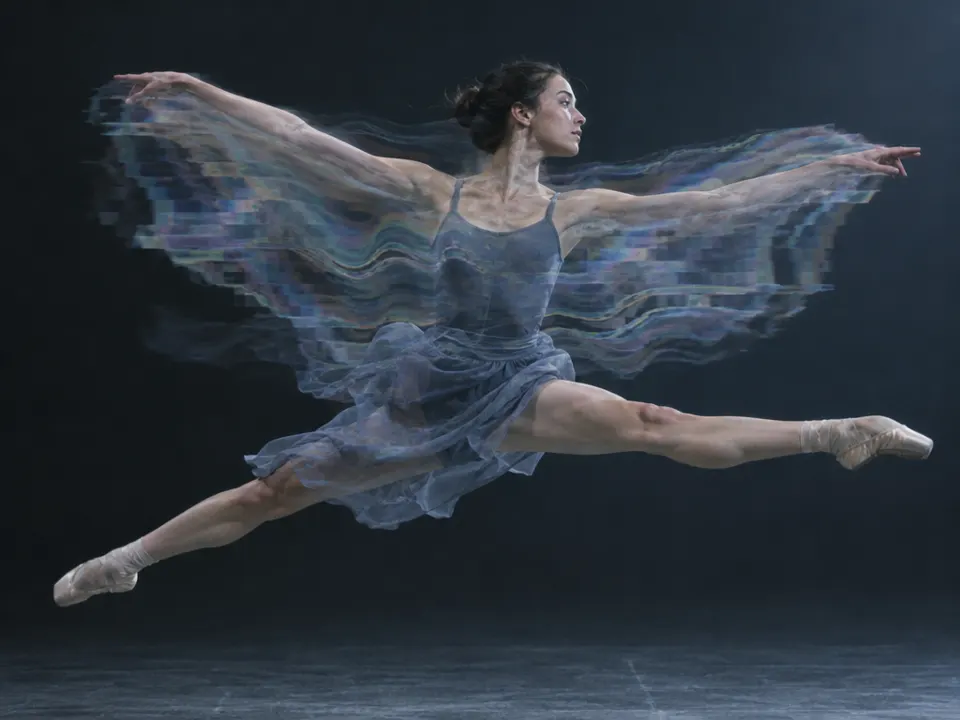
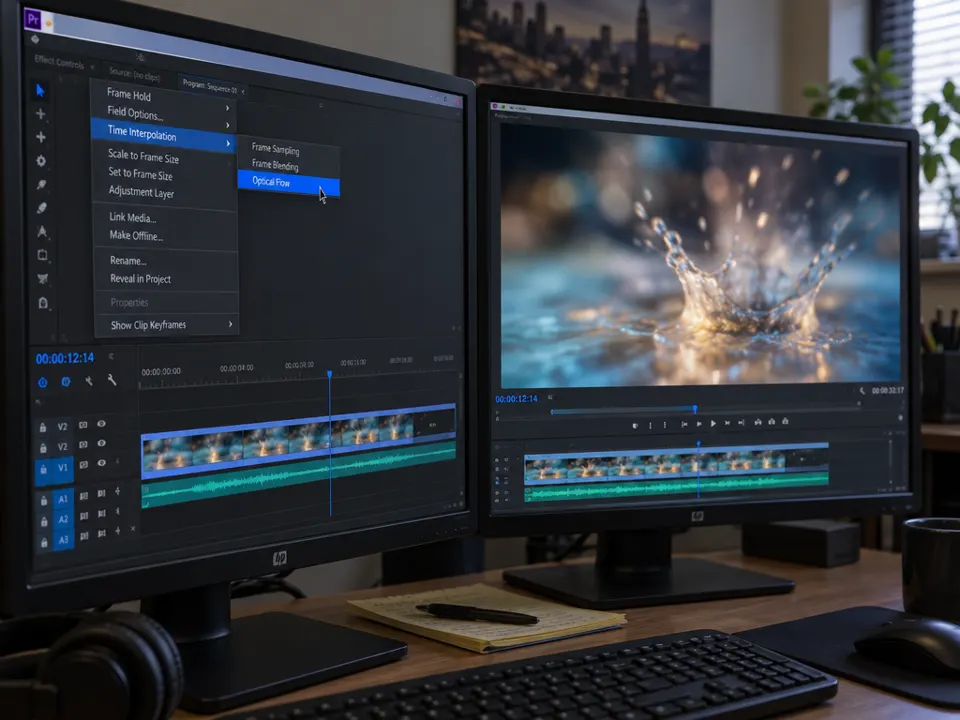
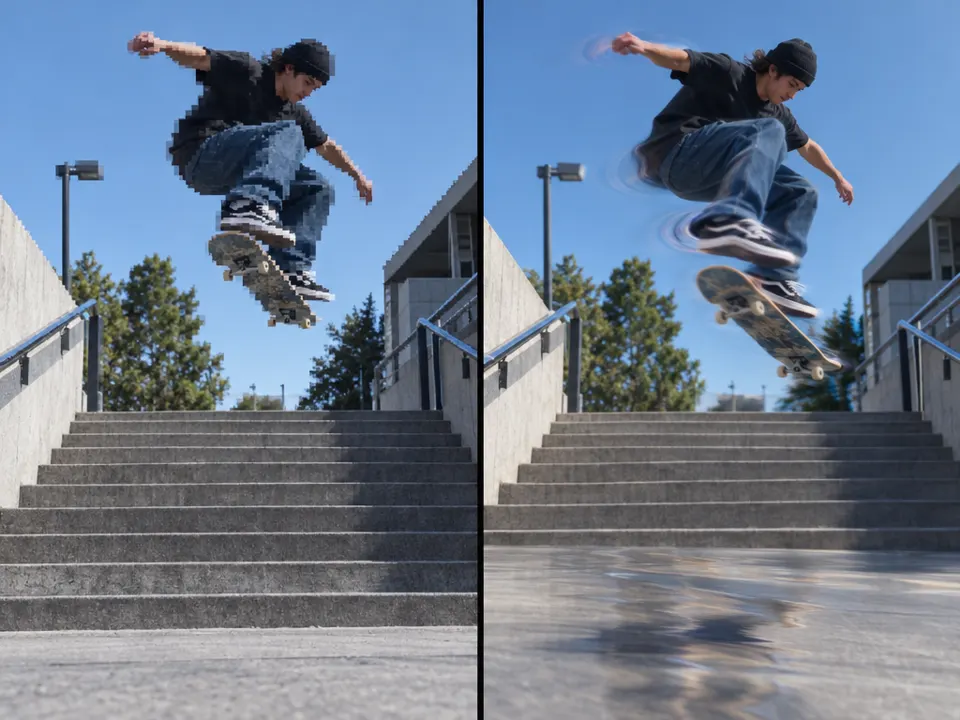
Optical flow frame interpolation. 2015: Optical Flow as a new Premiere Pro retiming option.
Typeface · JetBrains Mono
Timewarp: official Adobe demonstration, single image.Adobe, After Effects documentation.View source ↗
Prompt
Apply an Optical Flow Interpolation effect as a still-frame simulation, introducing localized rubbery contours, stretched textures, and translucent double edges around implied movement. Add subtle warping where foreground and background meet, while leaving stationary regions crisp and maintaining otherwise natural photographic color and lighting. Keep the original subject and composition.
Optical Flow is an older field of research. In November 2015, Adobe introduced Optical Flow as an additional interpolation option in Premiere Pro; Pixel Motion and Timewarp in After Effects had earlier predecessors. The software analyzes adjacent frames and generates intermediate images based on estimated motion vectors. Timewarp is based on Foundry's Kronos. This slide discusses this specific interpolation principle without equating it with all AI video models. The crucial point is the comparison in motion.
Distinction
Optical flow reconstructs presumed motion, not actually captured intermediate frames. Occlusions, intersections, and rapid movements can introduce errors.
Aftermath
Intermediate images are acalculated interpretation of the recorded time sequence.
Further examples · 7 images
02Motion interpolation exampleThe diagram displays a horse and rider with generated intermediate frames. It illustrates the fundamental principle of creating synthetic images between original frames to achieve smoother motion.User:Peregrine Fisher, User:nr1jack · CC BY 2.5 · Wikimedia Commons03NASA's MISR Instrument Shows Isaac’s Inflow and Outflow (7895622688)The image displays a vector field overlaid on satellite imagery. It illustrates how motion vectors track the movement of patterns between temporal observations, which is the foundational mathematical principle used for optical flow interpolation.NASA Goddard Space Flight Center from Greenbelt, MD, USA · Public domain · Wikimedia Commons04Optical-flow-estimation-for-different-sequencesTwo video frames show a car in different positions alongside a generated motion vector map. This demonstrates the analysis of adjacent frames required to estimate movement and synthesize intermediate images.Pengcheng Han, Junping Du, Jun Zhou, Suguo Zhu · CC BY 4.0 · Wikimedia Commons05AI illustration: A dancer's movement is shown with smearing and multiple layered edgesA dancer's movement is shown with smearing and multiple layered edges. This demonstrates the characteristic warping and 'rubbery' artifacts that occur when optical flow fails to cleanly interpolate fast-moving limbs.Illustration generated for the Atlas (AI)06AI illustration: A software interface highlights the 'Optical Flow' menu selection in a viA software interface highlights the 'Optical Flow' menu selection in a video editor. The resulting high-frame-rate water splash illustrates the intent of creating fluid slow motion through temporal interpolation.Illustration generated for the Atlas (AI)07AI illustration: Side-by-side comparison shows a skateboarder with digital artifactsSide-by-side comparison shows a skateboarder with digital artifacts. The right panel displays the rubbery, blurred contours typical of motion vector estimation errors during interpolation.Illustration generated for the Atlas (AI)
Question
Why are crossed hands a difficult test for optical flow?
Show possible answer +Hide answer −
Image parts overlap and reappear. The algorithm cannot unambiguously track their assignment between two frames.

.jpg)