H 321 / 3212020s

Liquid Glass Interface

2025, introduced by Apple
Typeface · Sulphur Point

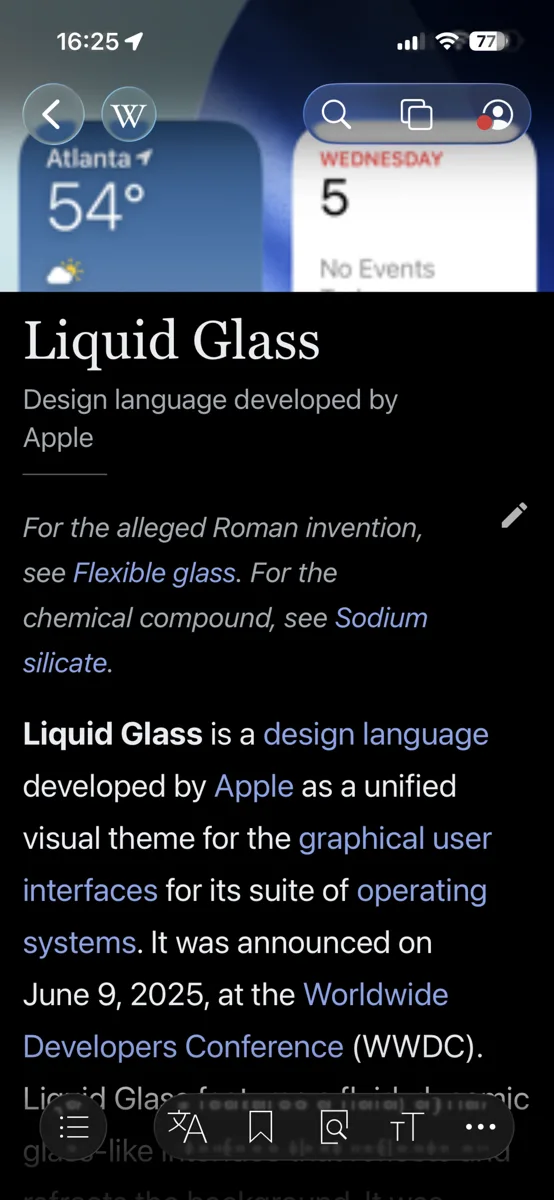
Translucent Controls Over a Mobile Article. A mobile article view includes rounded translucent navigation buttons and floating toolbars with bright rims over underlying content.
Translucent Controls Over a Mobile Article. A mobile article view includes rounded translucent navigation buttons and floating toolbars with bright rims over underlying content.EvanTech10 · CC BY-SA 4.0 · via Wikimedia CommonsView source ↗

Prompt

Apply a Liquid Glass Interface effect with floating, rounded translucent controls over the photograph. Simulate thick curved glass through blurred backgrounds, localized refraction, luminous rim highlights, subtle shadows, and softly tinted transparency. Vary curvature and apparent thickness between controls. Keep the original subject and composition.

Identify

Rounded translucent controls float above content, with bright edge highlights and warped backgrounds. Their shapes and apparent thickness change during interaction.

Principle

Real-time rendering1 combines background blur, simulated refraction2, and moving highlights to suggest curved glass. Software alters displayed pixels rather than bending light through physical interface elements.

Example

Apple: iOS 26 Liquid Glass interface, 2025.

Try it out

Scroll a detailed image beneath a translucent toolbar in iOS 26. Watch how background details blur and distort near its edges.

Background

Apple introduced Liquid Glass in June 2025 as a shared design language across its operating systems. It followed earlier translucent interfaces, including Apple's own, but emphasized curved edges, distortion, and responsive movement. The design also drew on the spatial interface of visionOS. Its glass is a rendered material, not a transparent physical layer. Background content supplies colors and patterns that software filters and distorts beneath controls. Animated highlights suggest a changing surface as elements move or reshape. The result creates visual depth, but busy backgrounds can complicate contrast3 and readability.

Distinction

Frosted-glass interfaces mainly soften the background with blur and transparency. Liquid Glass also emphasizes simulated refraction, bright contours, and fluid shape changes.

Aftermath

It shows how simulated material behavior can suggest depth while creating new challenges for readable controls.

Further examples · 7 images
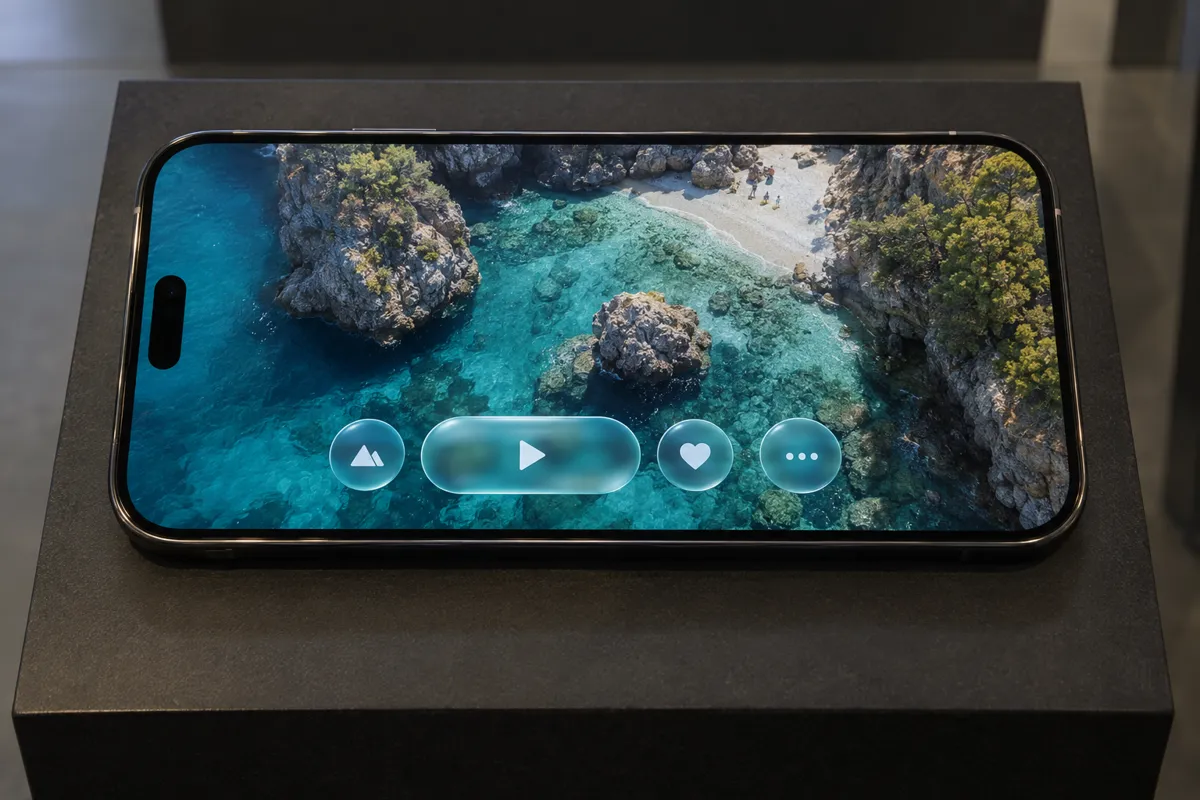
AI illustration: Glassmorphic media controls with simulated refraction
02 AI illustration: Glassmorphic media controls with simulated refractionA set of media control icons floats over a landscape photograph on a smartphone screen. The elements exhibit characteristic edge highlights and simulated refraction of the turquoise water beneath.Illustration generated for the Atlas (AI)
AI illustration: Translucent touch interface element on tablet display
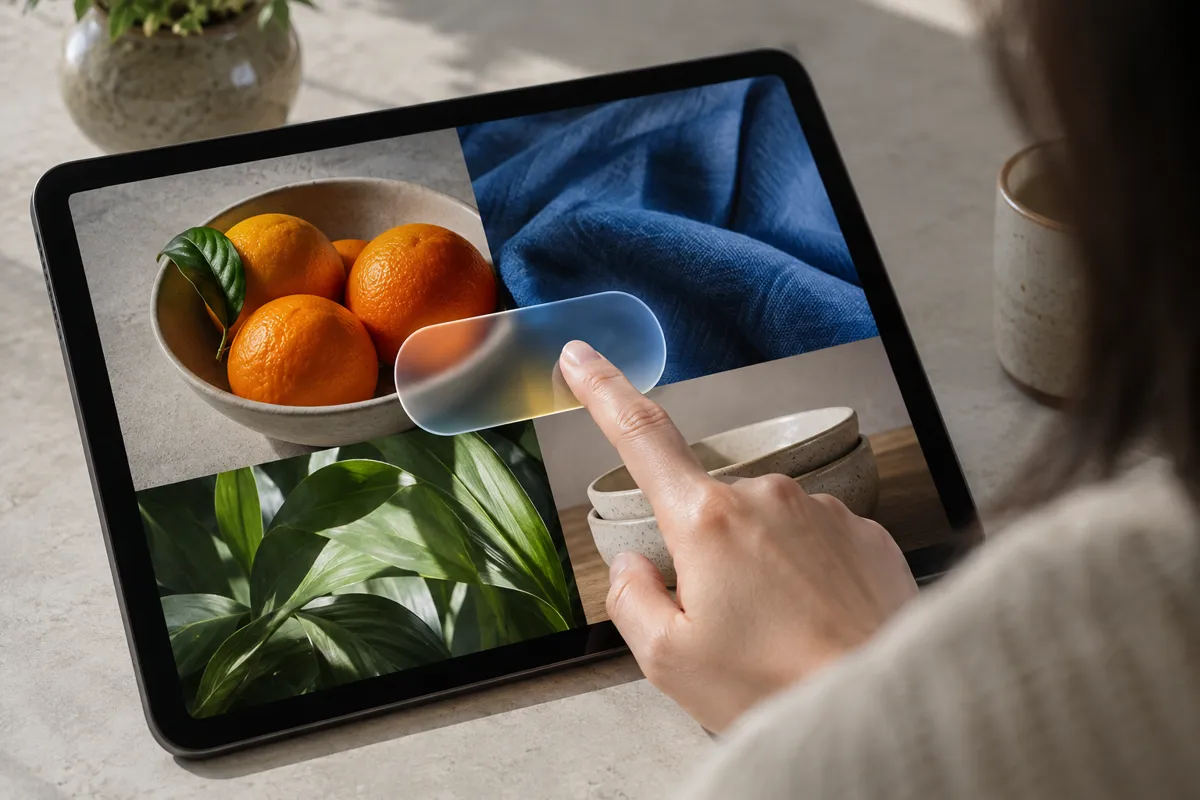
03 AI illustration: Translucent touch interface element on tablet displayA finger interacts with a rounded, translucent button overlaying a grid of images on a tablet. The interface element demonstrates typical background blur and a subtle glow that suggests a physical glass volume.Illustration generated for the Atlas (AI)
AI illustration: Dynamic morphing of liquid glass interface elements
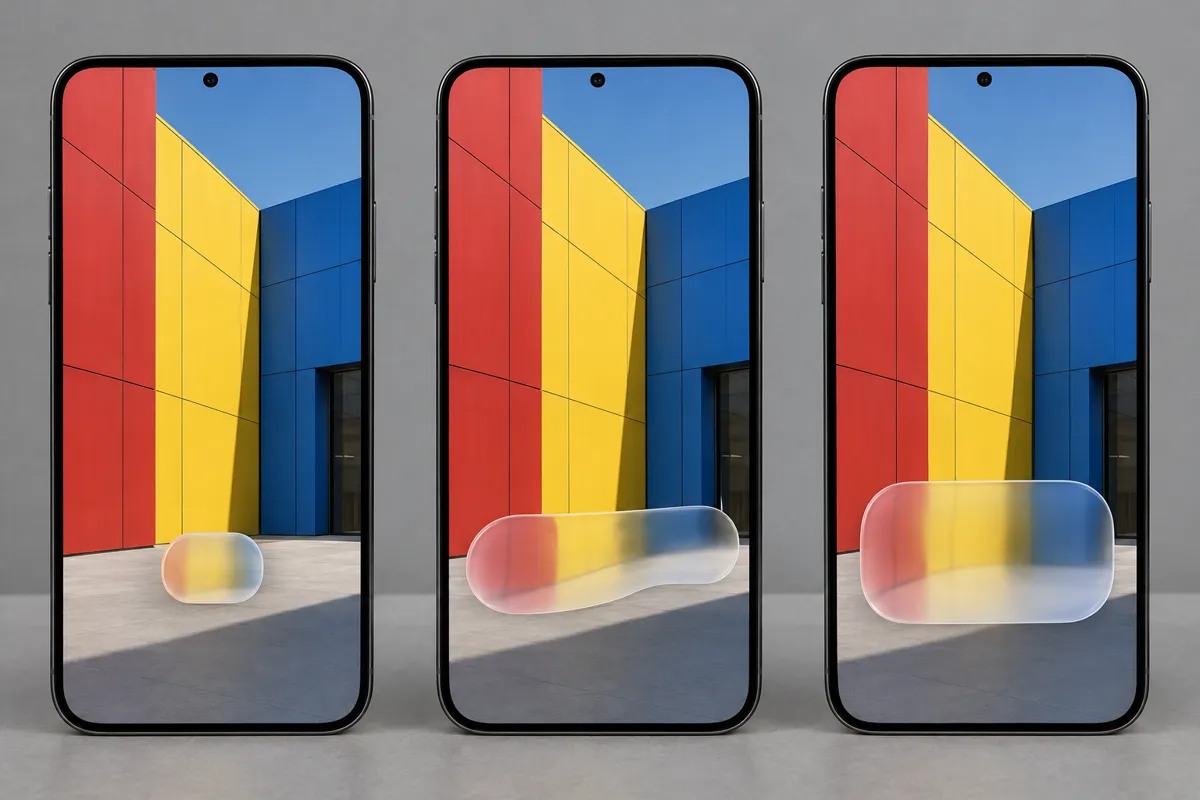
04 AI illustration: Dynamic morphing of liquid glass interface elementsThree smartphone screens show a capsule-shaped element morphing and stretching across a colorful geometric background. This sequence illustrates how the software simulates the fluid, organic movement of a liquid-filled glass container.Illustration generated for the Atlas (AI)
AI illustration: Frosted glass control panel with warped background
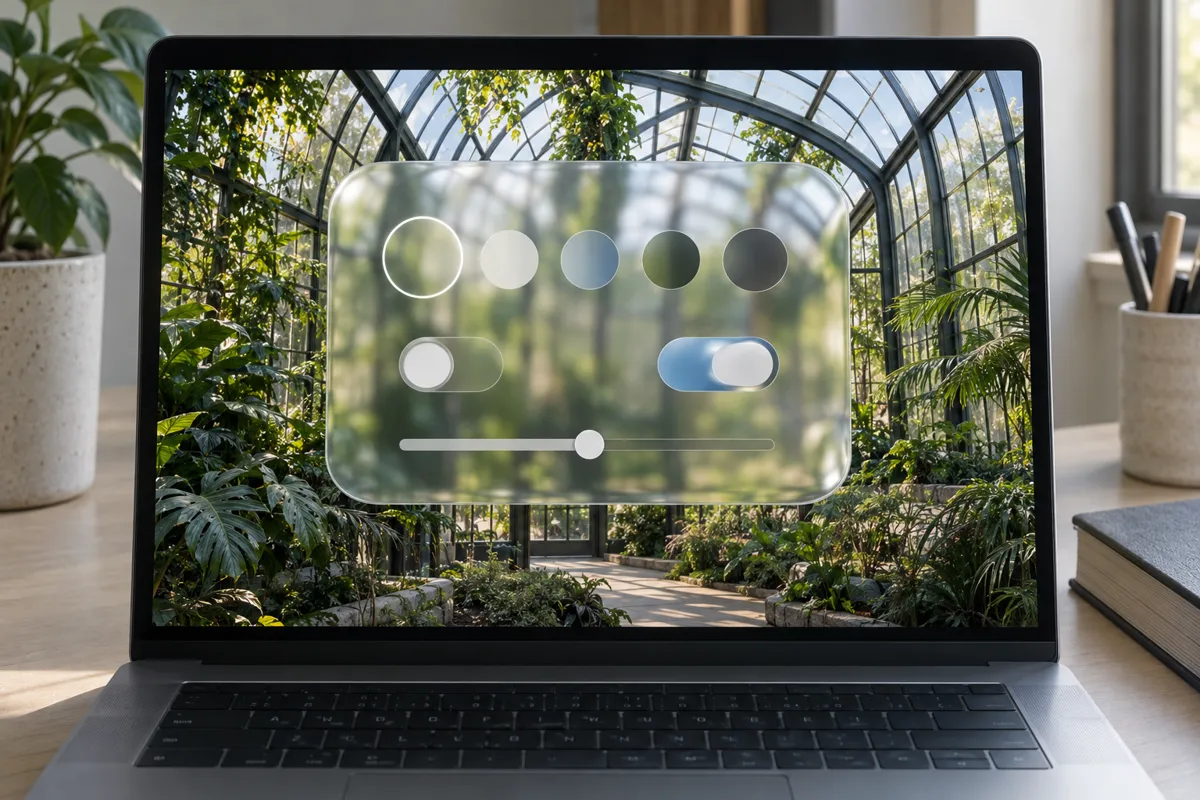
05 AI illustration: Frosted glass control panel with warped backgroundA complex settings panel with multiple toggles and sliders is rendered as a thick, frosted pane over a botanical scene. The thick borders and warped background textures exemplify the high-fidelity simulation of curved transparent material.Illustration generated for the Atlas (AI)
AI illustration: Fluid glass interaction on a wearable device
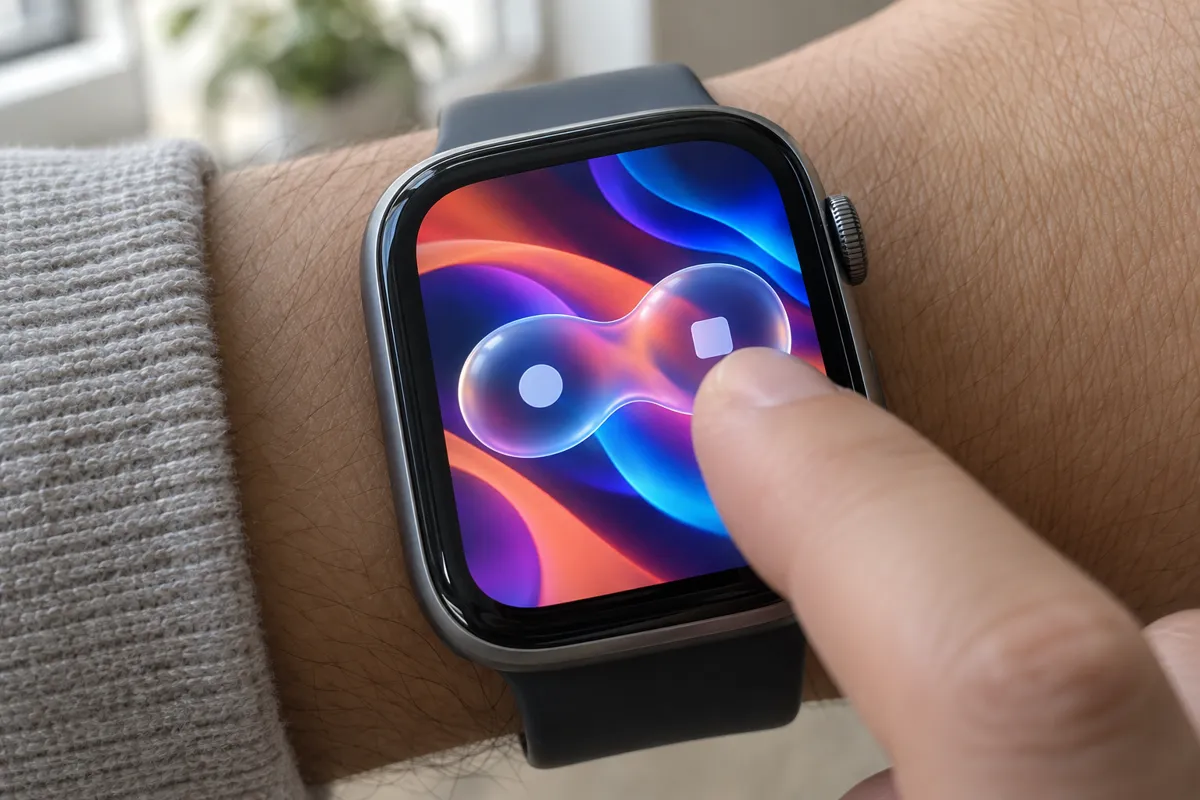
06 AI illustration: Fluid glass interaction on a wearable deviceA smartwatch display shows two glowing dots connected by a fluid, translucent bridge that reacts to a finger press. The soft highlights and blurred underlay create the illusion of a tactile, gelatinous interface.Illustration generated for the Atlas (AI)
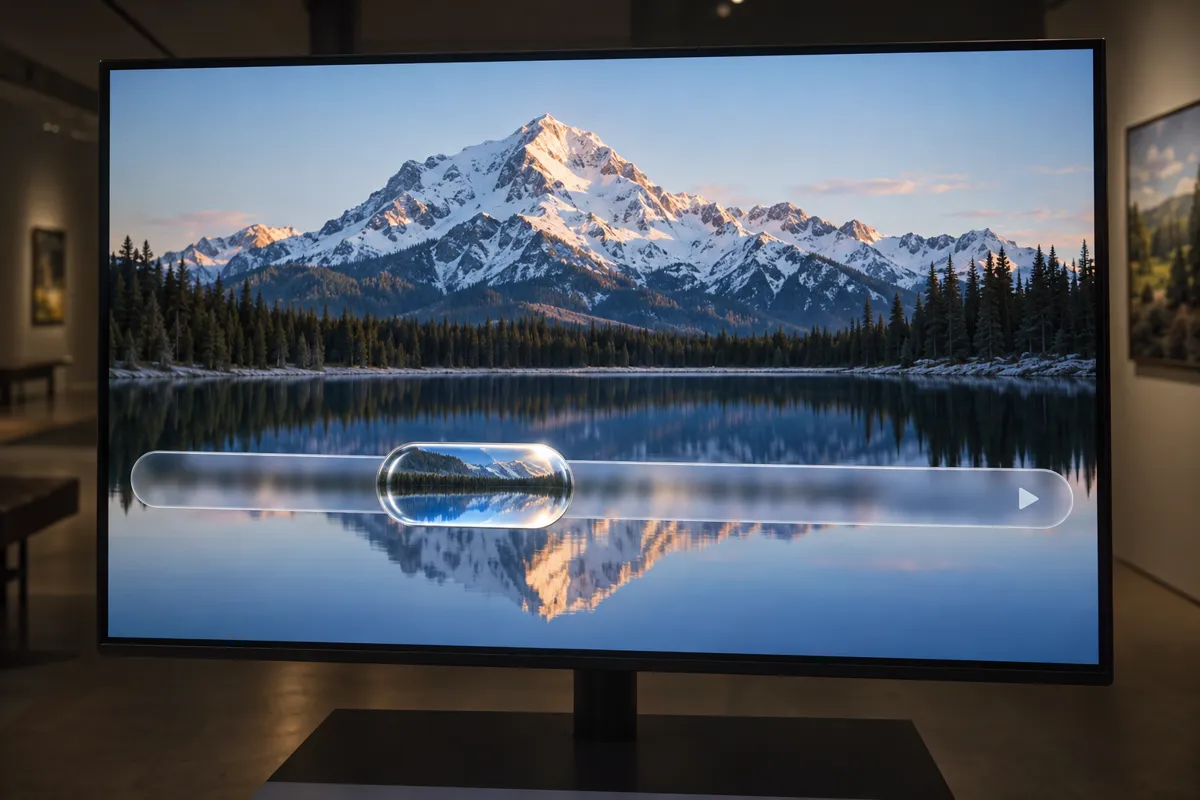
AI illustration: Refractive glass slider handle on video interface
07 AI illustration: Refractive glass slider handle on video interfaceA progress bar on a large display features a bulbous, liquid-like handle that magnifies and distorts the mountain reflection behind it. This clearly demonstrates the use of real-time shaders to mimic the optical properties of a thick glass lens.Illustration generated for the Atlas (AI)

Question

Why is transparency alone insufficient to reproduce this appearance?

Show possible answer +

Transparency reveals underlying content without necessarily changing its shape. This appearance also needs blur, distortion, edge highlights, and coordinated animation.