H 302 / 3212010s

Beauty Filter

2010s, with smartphone beautification apps expanding from 2013 onward
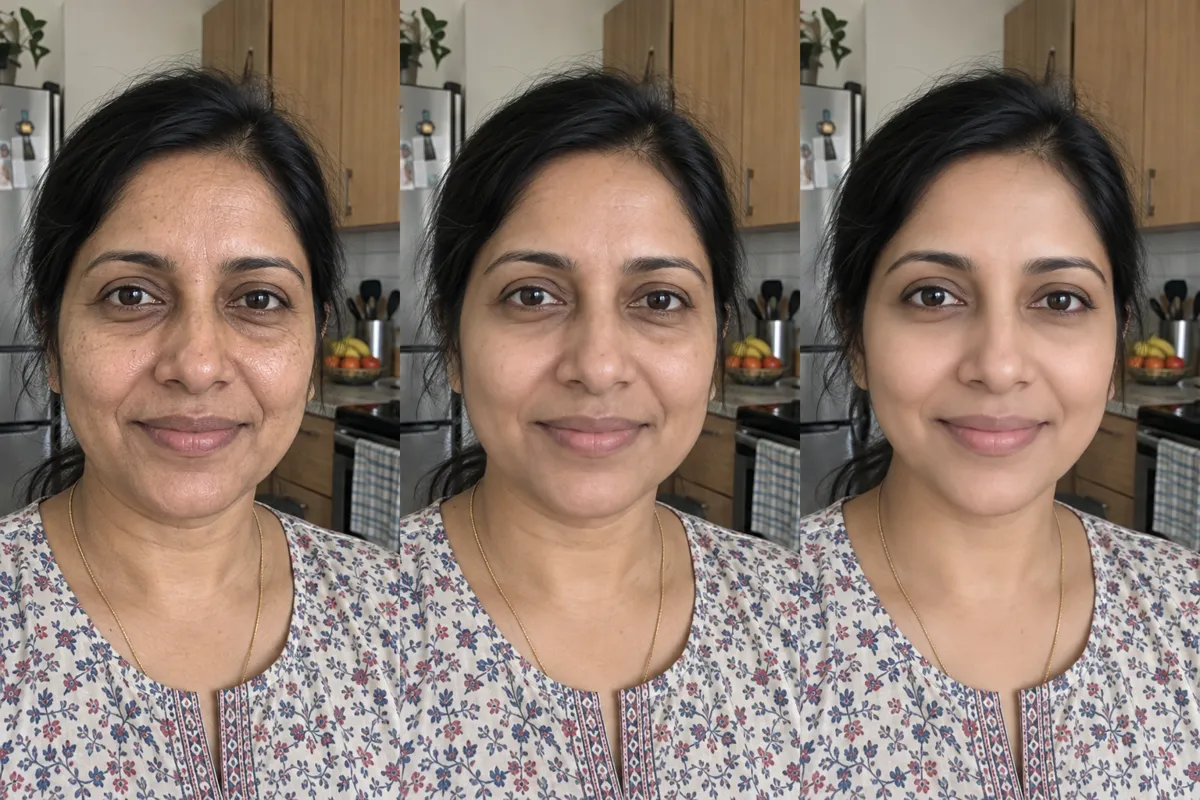
Typeface · Parisienne

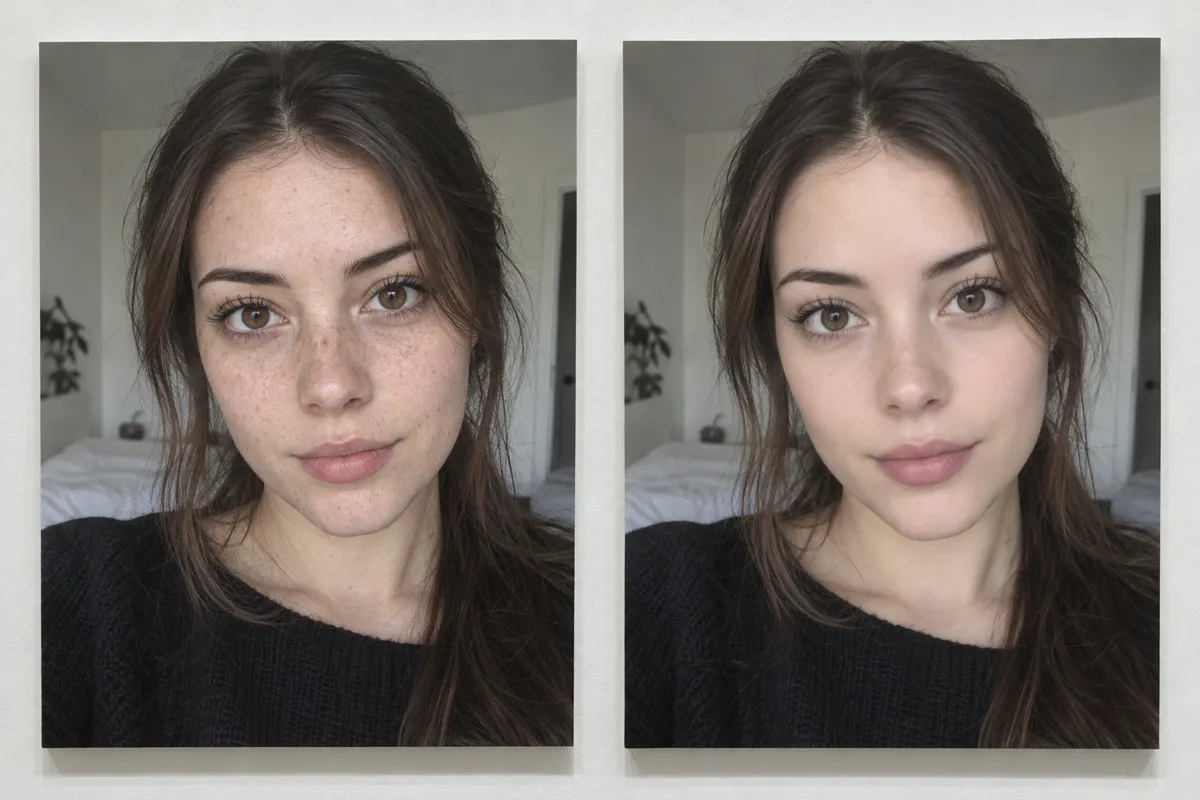
AI illustration: Comparison of skin smoothing and freckle removal.
AI illustration: Comparison of skin smoothing and freckle removal.Illustration generated for the Atlas (AI)View source ↗

Prompt

Apply a Beauty Filter effect with selectively smoothed skin, reduced pores, softened blemishes, brightened under-eye areas, and a subtle peach glow. Preserve crisp eyelashes, eyebrows, and lip edges against the polished complexion, avoiding excessive facial reshaping or plastic texture. Keep the original subject and composition.

Identify

Faces show smoother skin, fewer visible pores, and sometimes larger eyes or narrower jaws. Strong settings can produce a waxy complexion while leaving eyelashes unusually crisp.

Principle

Software locates facial landmarks1, then selectively smooths skin texture while preserving important edges. Geometric warping2 can enlarge eyes or reshape the jaw without changing the camera's optics.

Example

Meitu: BeautyCam, 2013.

Try it out

Compare filtered and unfiltered selfies under identical lighting; inspect pores, eyelash edges, eye size, and background lines beside the cheeks.

Background

Beauty filters brought older portrait-retouching practices into everyday smartphone photography during the 2010s. Meitu released BeautyCam in 2013, offering a recognizable example of this shift. Unlike manual airbrushing, automated processing finds faces and applies adjustments with little user effort. Skin smoothing reduces local texture differences, while facial landmarks guide changes to eyes and contours. Later systems increasingly used machine learning3 to estimate facial structure and separate skin from other image regions. Live previews made altered faces visible before capture, encouraging debate about beauty standards and photographic credibility.

Distinction

Soft-focus optics spread light and soften detail across the image. A beauty filter can target skin alone and change facial proportions digitally.

Aftermath

Beauty filters show how a photograph can preserve someone's identity while quietly changing the features viewers use to judge appearance.

Further examples · 6 images
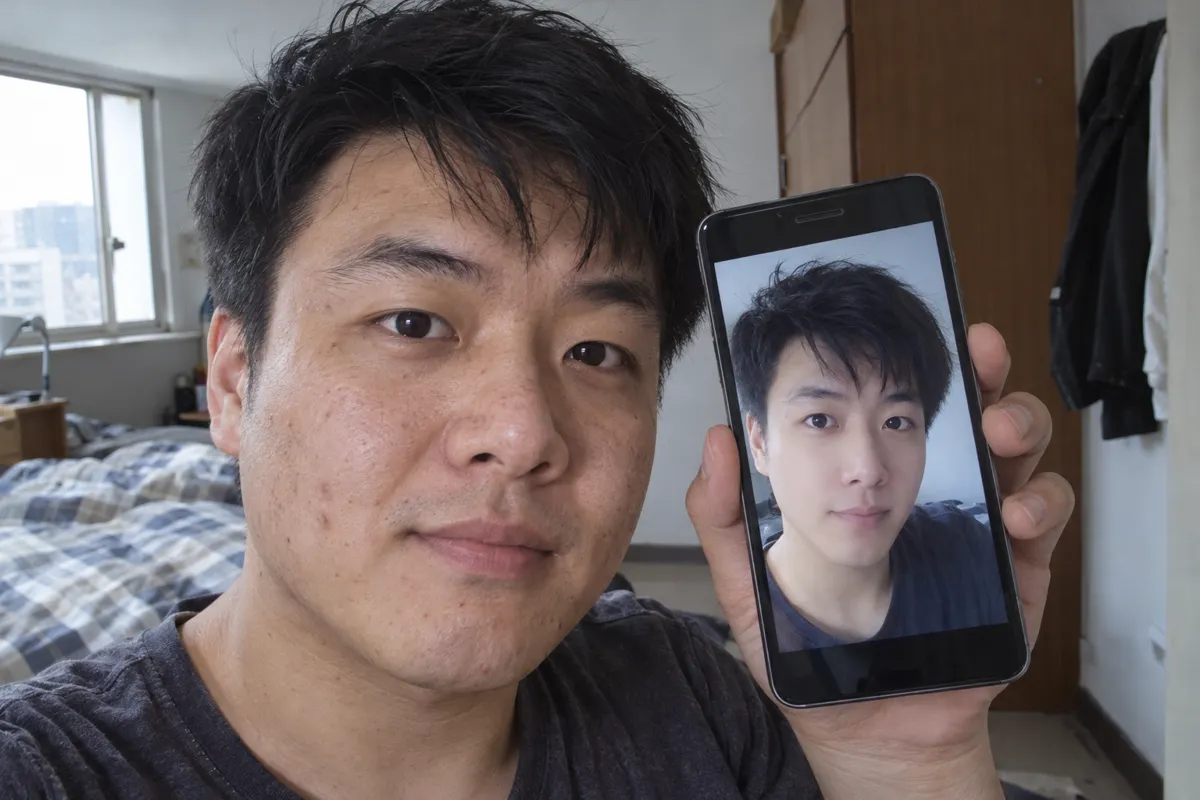
AI illustration: Smartphone display showing real-time facial enhancement
02 AI illustration: Smartphone display showing real-time facial enhancementA man holds a smartphone displaying a heavily filtered version of his own face, which appears airbrushed and brightened. This illustrates the real-time application of facial enhancement software commonly found in social media applications.Illustration generated for the Atlas (AI)
AI illustration: Progressive levels of digital skin blurring
03 AI illustration: Progressive levels of digital skin blurringThree sequential frames show a woman's face undergoing increasing levels of digital retouching and skin blurring. The progression clearly documents the transition from natural skin texture to a perfectly smooth, waxy finish.Illustration generated for the Atlas (AI)
AI illustration: Selective facial filtering in a group selfie
04 AI illustration: Selective facial filtering in a group selfieA group selfie shows three individuals, with the central figure displaying notably smoother skin and enlarged eyes compared to the person on the far right. The selective application of the effect to specific faces in a frame is a common feature of these algorithms.Illustration generated for the Atlas (AI)
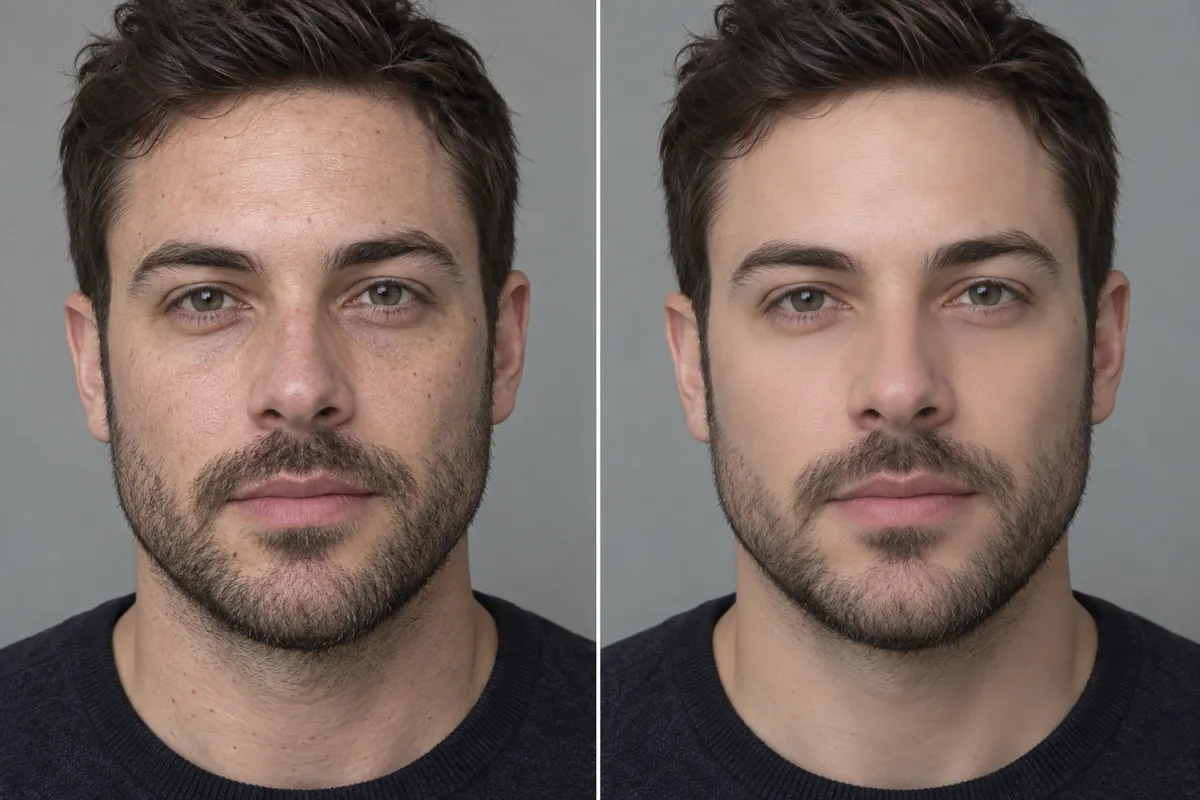
AI illustration: Blemish reduction and skin tone evening
05 AI illustration: Blemish reduction and skin tone eveningA split portrait compares a man's natural face with a version where blemish reduction and skin evening have been applied. The filtered side shows a uniform complexion while preserving the structure of the beard and features.Illustration generated for the Atlas (AI)
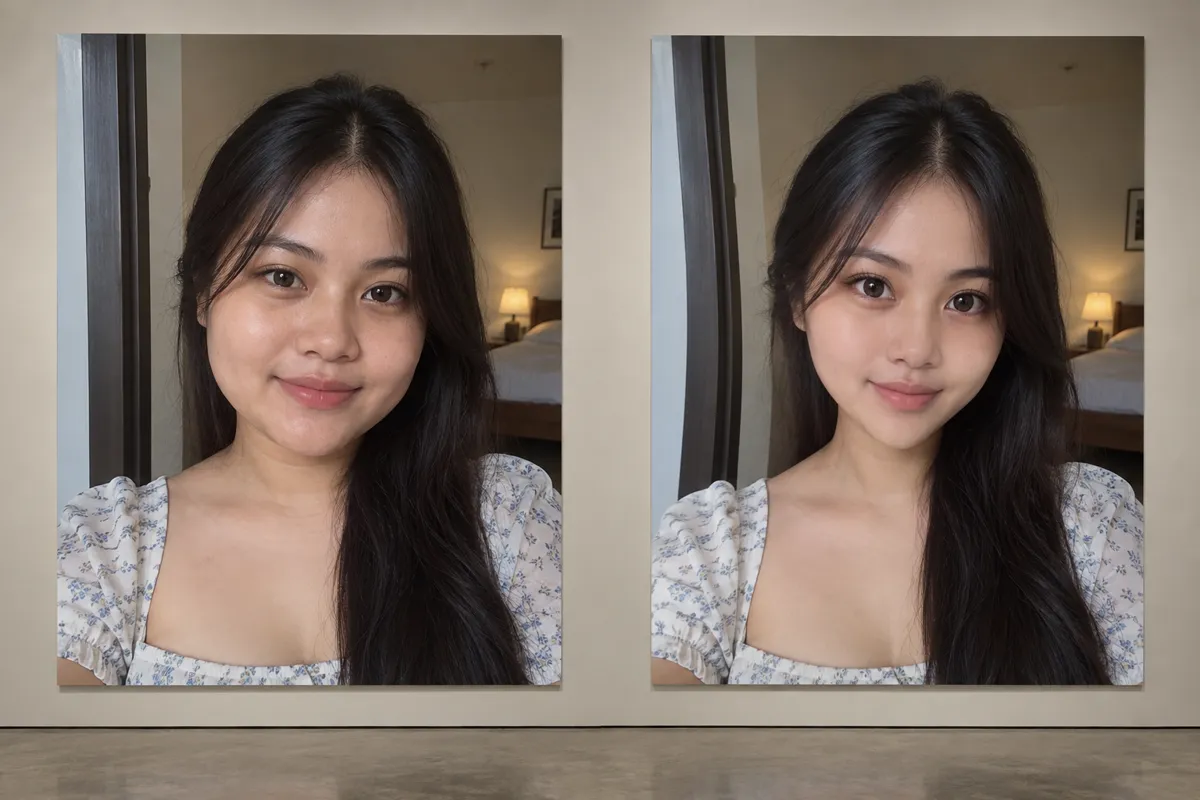
AI illustration: Digital jawline reshaping and eye enlargement
06 AI illustration: Digital jawline reshaping and eye enlargementTwo images placed side-by-side show a woman before and after digital reshaping of the jawline and eye enlargement. This pair demonstrates the geometric warping capabilities often bundled with skin smoothing filters.Illustration generated for the Atlas (AI)

Question

Why can a filtered face have smooth cheeks but sharp eyelashes?

Show possible answer +

The software treats different image regions differently. It can smooth skin while protecting edges around eyes and lashes.

Sources