H 189 / 3211980s

Backlit Animation

Backlit animation / glow. Tron, released in 1982, has an older visual look.
Typeface · Syncopate

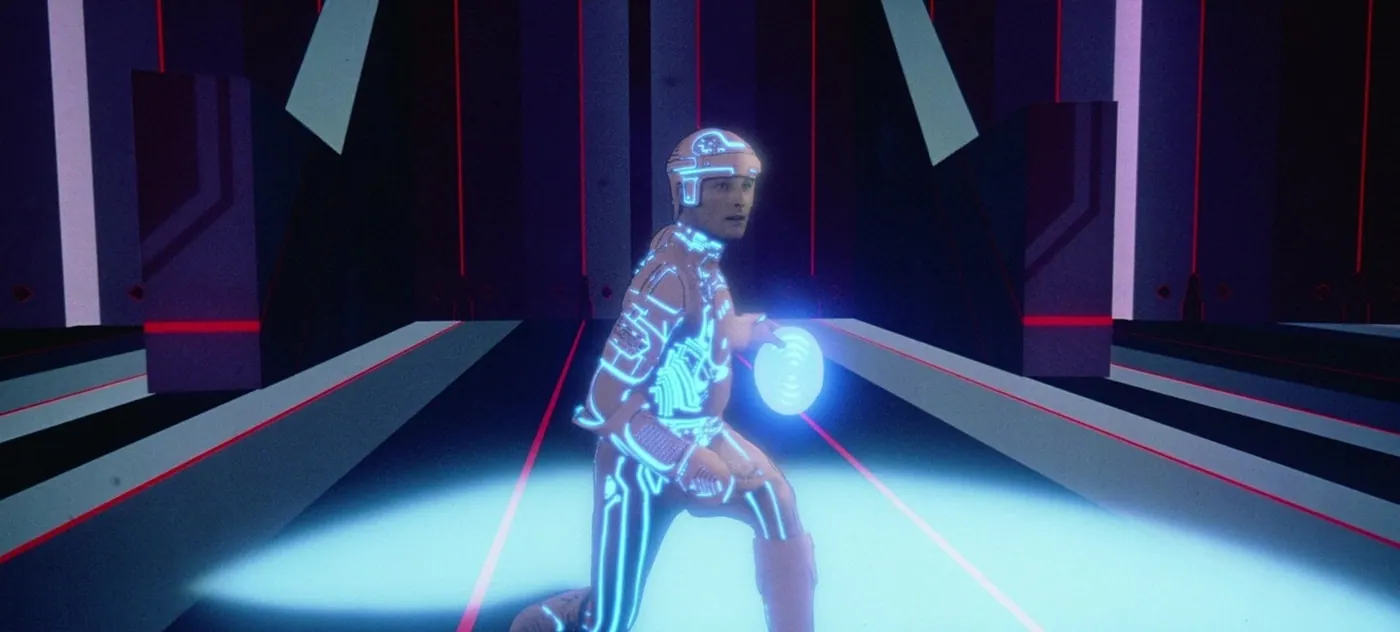
Tron, 1982: luminous costume lines and light disc.
Tron, 1982: luminous costume lines and light disc.Walt Disney Productions / American Cinematographer. © Disney; Source image: American CinematographerView source ↗

Prompt

Apply an optical backlit animation effect, simplifying surfaces into dark cel-like shapes edged by luminous cyan, electric blue, and warm orange contours. Give each illuminated line a sharp bright core, soft colored halo, slight optical bloom, and fine photographic grain. Keep the original subject and composition.

Identify

Colored contours stand out against dark surfaces. A sharp center has a soft halo1.

Principle

Masked areas are backlit2. Optical processing creates illuminated contours. Digital glow filters simulate the effect.

Example

Tron (1982) combines backlight animation, live-action and computer graphics in the Light Cycle.

Try it out

Draw a bright line. Add a blurred copy and vary the halo.

Background

Iconic film look: Tron (1982); visual precursors are older.

Drawn or masked areas are backlit and photographed. Multiple exposures and optical processing make contours glow. Digital glow filters now simulate light scattering around bright areas.

Tron (1982): Costume contours, energy effects and the creation of the Light Cycle.

Regarding the image: Historical original / source image. Backlit animation and optical layers make photographed figures appear to glow electronically; not a pure CGI image.

Distinction

Glow refers to a halo of light; lens flare refers to reflections and scattered light within the lens. Neon is originally a real light source. The Tron look is not purely CGI. Live-action, hand-drawn backlight animation, and computer graphics were combined.

Aftermath

Technical interiors acquired a distinctive visual style. Today, it is referred to as the neon, cyber, or retro-futuristic look.

Further examples · 6 images

Digital Effects, "Times Square," 1980. DEI19800401 DEI001
02 Digital Effects, "Times Square," 1980. DEI19800401 DEI001Bright orange contours and illuminated windows stand out against a dark background. The glowing streetlights show the characteristic soft halo around a sharp center, typical of backlit optical processing.Digital Effects Inc. · CC BY-SA 3.0 · Wikimedia Commons
Judson Rosebush "Space ‡," 1974, Call Ispace JGR19740601 01
03 Judson Rosebush "Space ‡," 1974, Call Ispace JGR19740601 01A computer-generated flowchart shows bright red contours with a soft glow against a black background. This visual style matches the illuminated-line aesthetic achieved through optical backlit animation techniques used in early computer graphics displays.Judson Rosebush · CC BY-SA 3.0 · Wikimedia Commons
Optical printer, A, Animation Equipement co.
04 Optical printer, A, Animation Equipement co.The image shows a vintage optical printer camera. This apparatus was the primary tool for creating backlit animation, allowing multiple passes to composite glowing elements and live-action footage onto film.Unknown · CC BY-SA 4.0 · Wikimedia Commons
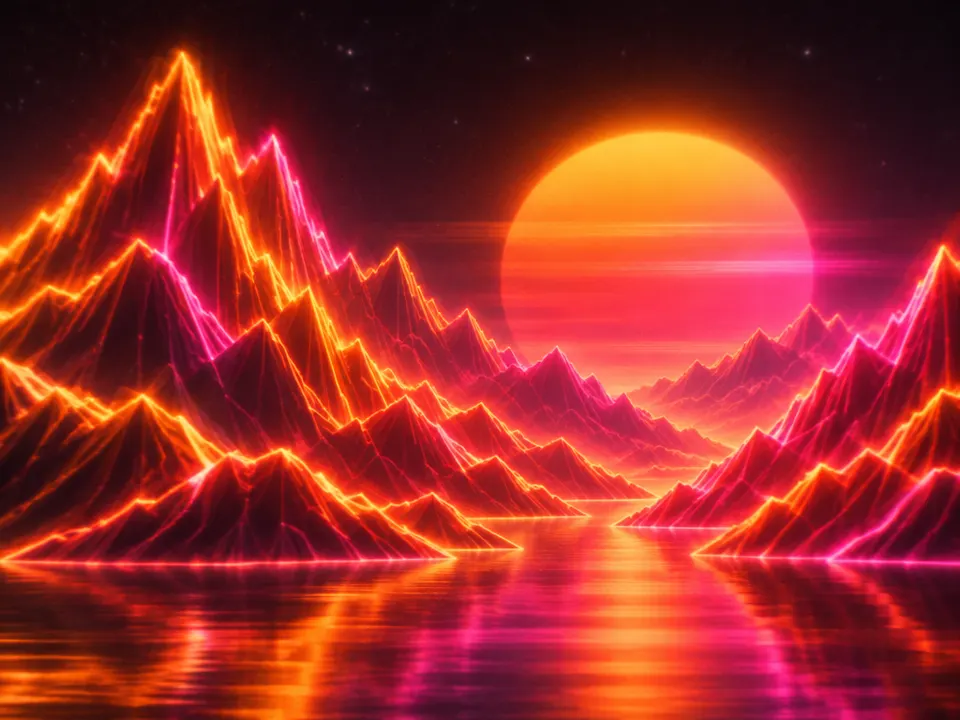
AI illustration: Geometric mountain landscapes feature orange and pink glowing outlines
05 AI illustration: Geometric mountain landscapes feature orange and pink glowing outlinesGeometric mountain landscapes feature orange and pink glowing outlines. The stylized vector-like aesthetic and soft light bloom over dark surfaces are characteristic of this optical effects technique.Illustration generated for the Atlas (AI)
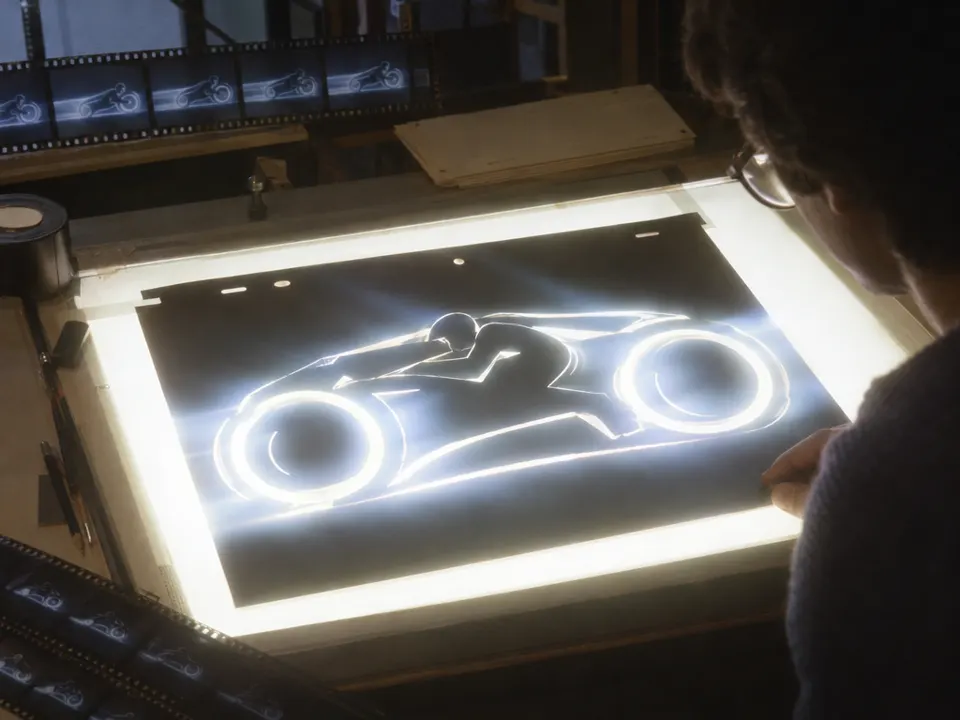
AI illustration: An animator works with a high-contrast mask on a light table
06 AI illustration: An animator works with a high-contrast mask on a light tableAn animator works with a high-contrast mask on a light table. The backlit cutout creates glowing, diffused light edges that demonstrate the historical optical process used for these effects.Illustration generated for the Atlas (AI)

Sources