Pixel sorting. Kim Asendorf's ASDF Pixel Sort, 2010; Net art of the 2010s.
Typeface · VT323
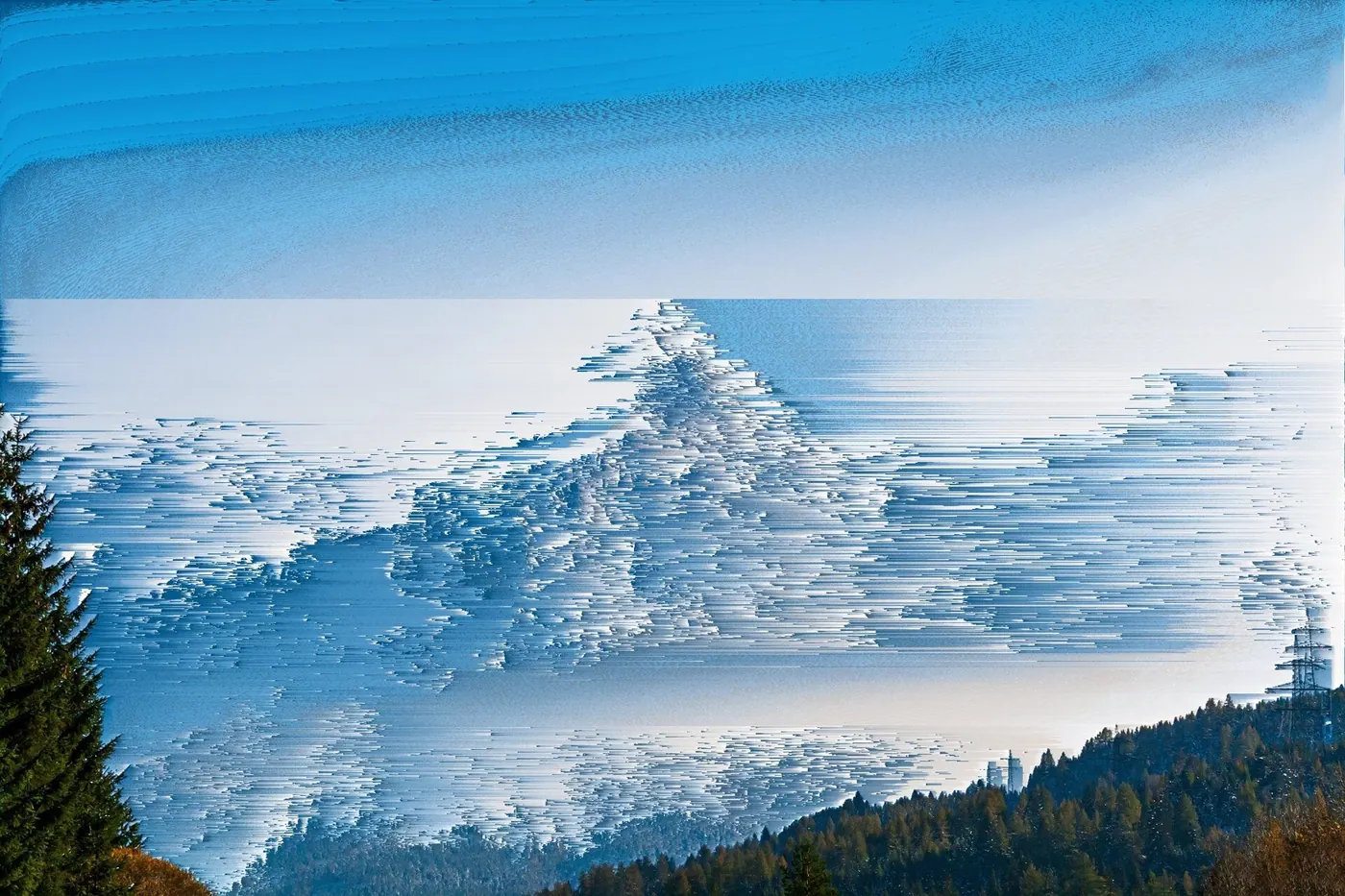
Kim Asendorf: mountains_2.jpg, example from the ASDFPixelSort repository.Kim Asendorf, original example of the publicly available Processing script.View source ↗
Prompt
Apply a Pixel Sorting effect by stretching selected image regions into ordered horizontal or vertical bands of color and brightness. Create sharp stripe boundaries, elongated pixel runs, and abrupt transitions between intact details and corrupted areas, using colors sampled from the photograph. Keep the original subject and composition.
Kim Asendorf's public processing script bears the date 2010. It sorts certain sections into columns and rows, while thresholds define where these sections begin and end. The visibly stretched forms arise from adeliberate algorithmic order. The effect has become adistinctive feature of digital net art; the slide replaces an unsubstantiated, sweeping narrative of invention with verifiable script evidence.
Distinction
Pixel sorting arranges existing pixels. It requires neither corrupted files nor video compression and is therefore not the same as data moshing.
Aftermath
Ordered data can appear visually more chaotic than unordered data.
Further examples · 12 images
02Pixel Sorting, applied to “Amanecer en Huitzila, México, 2013-10-10, DD 01”Vertical streaks extend from the dawn horizon and sky reflections. The landscape photo demonstrates pixel sorting by reordering bright pixels into thin, parallel columns that disrupt the clouds and silhouettes.Diego Delso (photo); processed for the Atlas · CC BY-SA 3.0 · Wikimedia Commons03Pixel Sorting, applied to “Die Schöllenen Schlucht mit Teufelsbrücke im schweizerischen Kanton Uri”Vertical bands of color descend through a mountain gorge with bridges. Sorting is applied to the bright rock faces and sky, creating elongated, waterfall-like pixel segments across the scene.This Photo was taken by Wolfgang Moroder.
Feel free to use my photos, but please mention me as th (photo); processed for the Atlas · CC BY-SA 4.0 · Wikimedia Commons04Pixel Sorting, applied to “2014 Scar House Reservoir Dam”The stone wall of the reservoir dam is transformed into jagged vertical pillars. The algorithm reorders light-colored stone pixels downward, while the water and green hills remain largely unsorted.Kreuzschnabel (photo); processed for the Atlas · CC BY-SA 3.0 · Wikimedia Commons05Pixel Sorting, applied to “Arabs Baths of Alhama de Granada in Andalusia, Spain”Interior stone arches and reflections in the baths are distorted by vertical trails. Light-toned pixels from the stone and lit areas are sorted into elongated columns that bleed into the shadows.SuperCar-RoadTrip.fr from Bordeaux, France (photo); processed for the Atlas · CC BY 2.0 · Wikimedia Commons06Pixel Sorting, applied to “Täpiline sõrmkäpp (Dactylorhiza incarnata cruenta) - Niitvälja soo”A purple orchid stands against a green background blurred by vertical sorting. The effect reorders color values into long, straight segments that stretch the foliage and sky into a striped pattern.Ivar Leidus (photo); processed for the Atlas · CC BY-SA 4.0 · Wikimedia Commons07Pixel Sorting, applied to “Gaura lindheimeri, prachtkaars. (actm) 01”A pink flower is depicted with sections of its petals and background shifted into vertical bands. Pixel sorting is isolated to specific light and color thresholds, creating rectangular glitch segments.Agnes Monkelbaan (photo); processed for the Atlas · CC BY-SA 4.0 · Wikimedia Commons08Pixel Sorting — machine versionReal-world algorithm demonstration, applied to a NASA portrait.Atlas of Visual Effects09Pixel sorting digital art compositeA sepia landscape features vertical light streaks emerging from dark shapes. It demonstrates pixel sorting by shifting brightness values into long, vertical columns across specific segments of the digital composite.Slaytonjerry · CC BY-SA 4.0 · Wikimedia Commons10Baby sortedThe image shows a baby's face partially obscured by vertical white bands. This illustrates the effect by sorting pixels in the brightest regions, creating a trailing melting effect along the vertical axis.MetalBreaksAndBends · CC0 · Wikimedia Commons11Image taken with a broken cameraVertical bands of magenta pixels are shifted along the y-axis according to brightness values. This demonstrates column sorting where segments of high luminosity create a melting, dripping aesthetic characteristic of the effect.Brocken Inaglory · CC BY-SA 3.0 · Wikimedia Commons12PRAY FOR ERRORA religious figure depicted with vertical lines of color. The sorting effect is applied to columns, displacing pixels vertically to create the characteristic melting appearance.ANDREfrag92 · CC BY-SA 4.0 · Wikimedia Commons
Question
What happens to the overall histogram if you simply rearrange pixels?
Show possible answer +Hide answer −
It remains unchanged: The number of each color value remains the same, only its position in the image changes.


_-_Niitv%C3%A4lja_soo.jpg)
_01.jpg)