M 154 / 18307 Filters & Motionalgorithm output

Morphological Closing

filtering, restoration & motion
Typeface · Chivo Mono

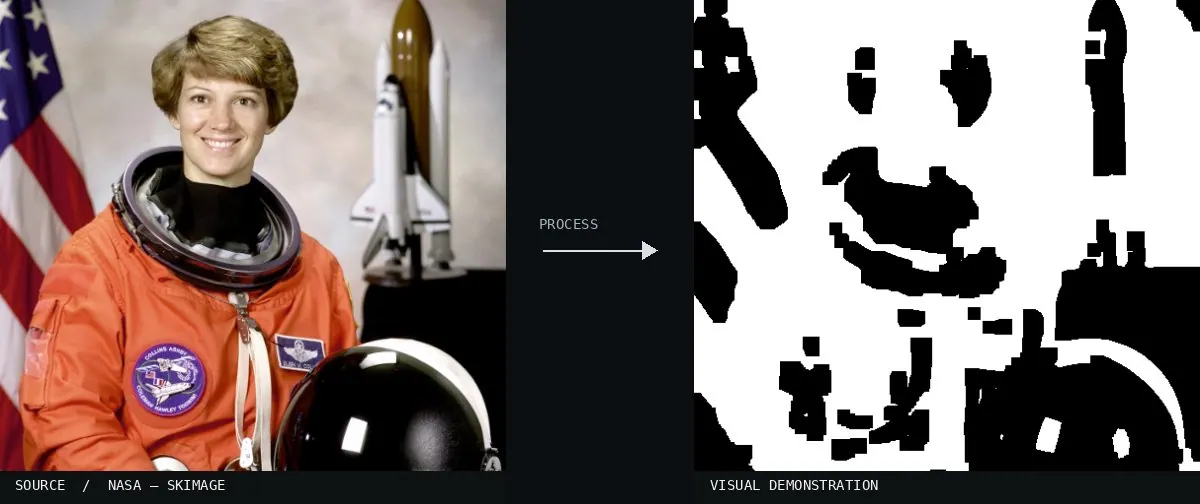
Real-world algorithm demonstration, applied to a NASA portrait.
Real-world algorithm demonstration, applied to a NASA portrait.Image: NASA / Eileen Collins · scikit-image (public domain)View source ↗

Prompt

Apply Morphological Closing to fill tiny dark holes and narrow shadow-colored gaps within brighter regions. Connect closely spaced light fragments and smooth small inward notches along their boundaries. Keep larger dark areas and broad color relationships intact without creating glow or general blur. Preserve the original subject and composition.

Identify

Small dark holes are being closed.

Principle

Dilation1 followed by erosion2 connects nearby bright areas.

Try it out

Check the gaps.

Classification

Calculated image processing result.

Further examples · 7 images

MorphologicalClosing
02 MorphologicalClosingThis diagram shows a binary shape before and after the operation. The process fills internal gaps and small intrusions while preserving the original dimensions of the larger foreground objects.MartinPfeiffer · Public domain · Wikimedia Commons
Morphological Closing, applied to “Gedore No. 7 combination wrenches 6–19 mm”
03 Morphological Closing, applied to “Gedore No. 7 combination wrenches 6–19 mm”A set of wrenches is shown against a black background. The dark gaps in the ring ends and the etched numbers are filled by the light areas through dilation.Lucasbosch (photo); processed for the Atlas · CC BY-SA 3.0 · Wikimedia Commons
Morphological Closing, applied to “Celmisia semicordata 01”
04 Morphological Closing, applied to “Celmisia semicordata 01”A white and yellow flower is pictured. The effect fills the dark gaps between the white petals and removes the small insect by connecting adjacent bright regions.Krzysztof Golik (photo); processed for the Atlas · CC BY-SA 4.0 · Wikimedia Commons
Morphological Closing, applied to “Fluorescence rainbow”
05 Morphological Closing, applied to “Fluorescence rainbow”Multiple glass beakers containing colorful liquids are shown. Dark areas between the beakers are eliminated and small shadows within the liquid are smoothed over.Maxim Bilovitskiy (photo); processed for the Atlas · CC BY-SA 4.0 · Wikimedia Commons
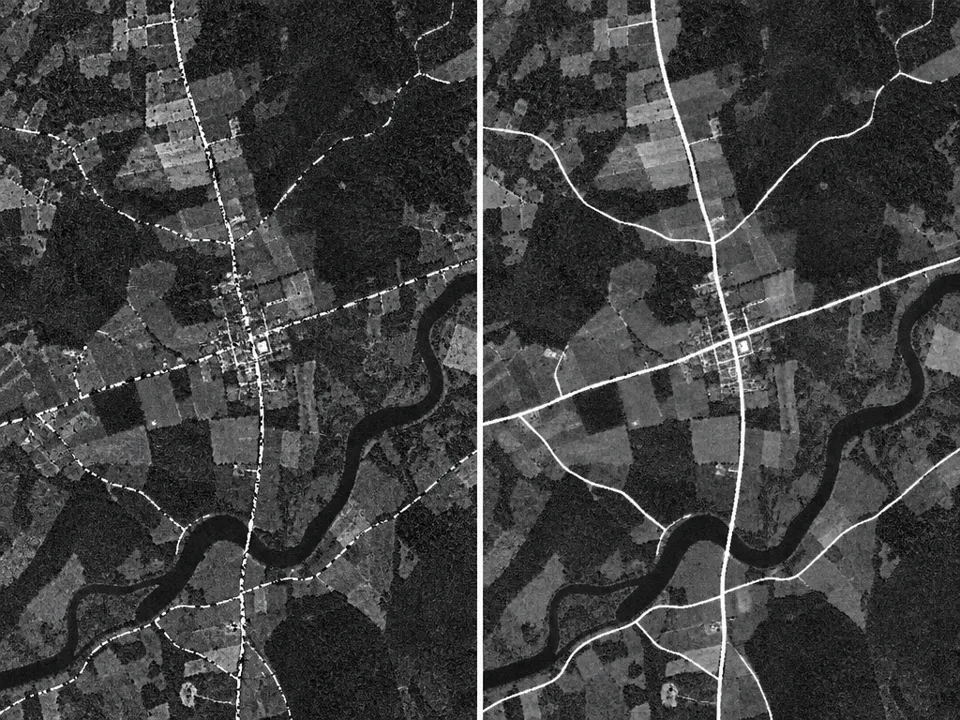
AI illustration: A side-by-side comparison shows fragmented road segments being fused into
06 AI illustration: A side-by-side comparison shows fragmented road segments being fused intoA side-by-side comparison shows fragmented road segments being fused into continuous white lines. The operation removes dark gaps between bright pixels to restore connectivity in the geographic network.Illustration generated for the Atlas (AI)
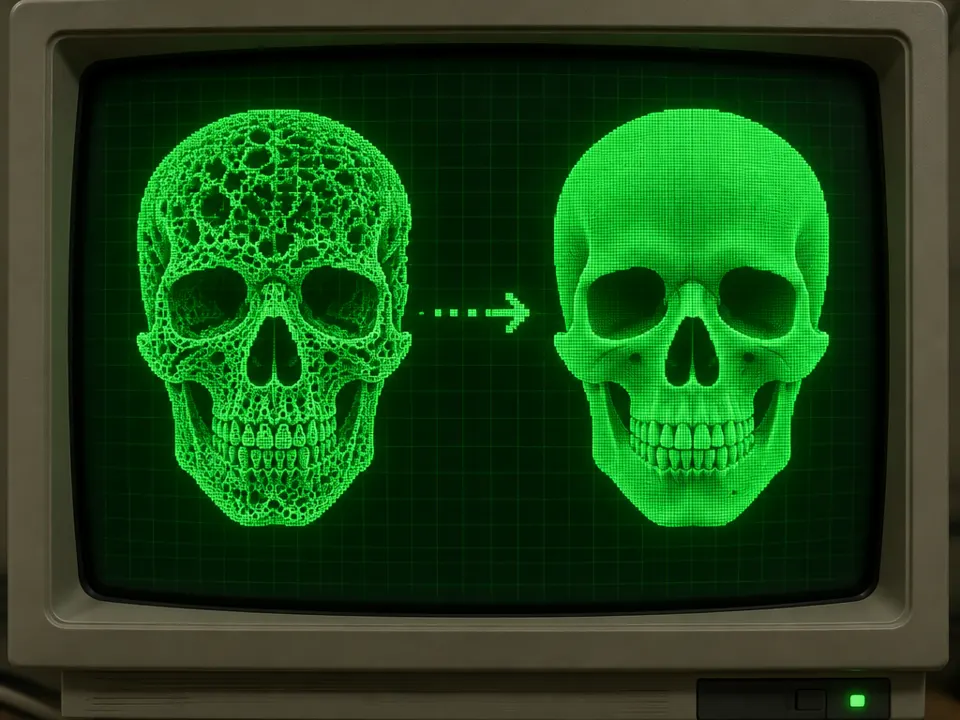
AI illustration: A porous skull model is transformed into a solid green surface
07 AI illustration: A porous skull model is transformed into a solid green surfaceA porous skull model is transformed into a solid green surface. The process fills internal voids and small dark holes by expanding and then shrinking the bright foreground elements.Illustration generated for the Atlas (AI)