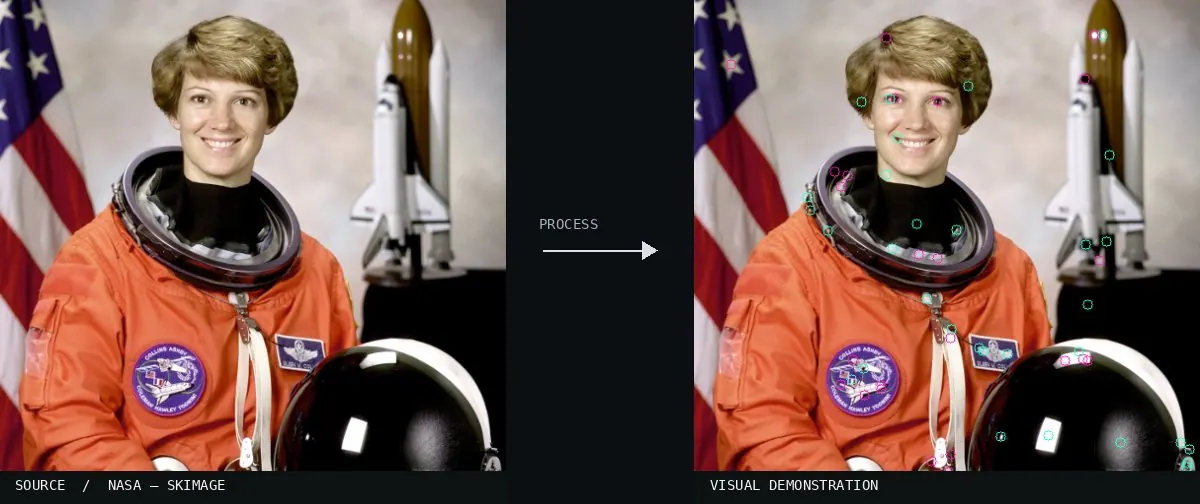
Real-world algorithm demonstration, applied to a NASA portrait.Image: NASA / Eileen Collins · scikit-image (public domain)View source ↗
Prompt
Apply SIFT Scale Space as a multiscale feature visualization over the photograph. Draw thin, brightly colored circles of noticeably different radii around distinctive blobs, corners, and textured regions, each with a radial orientation stroke. Include overlapping scales without obscuring underlying details. Keep the original subject and composition.
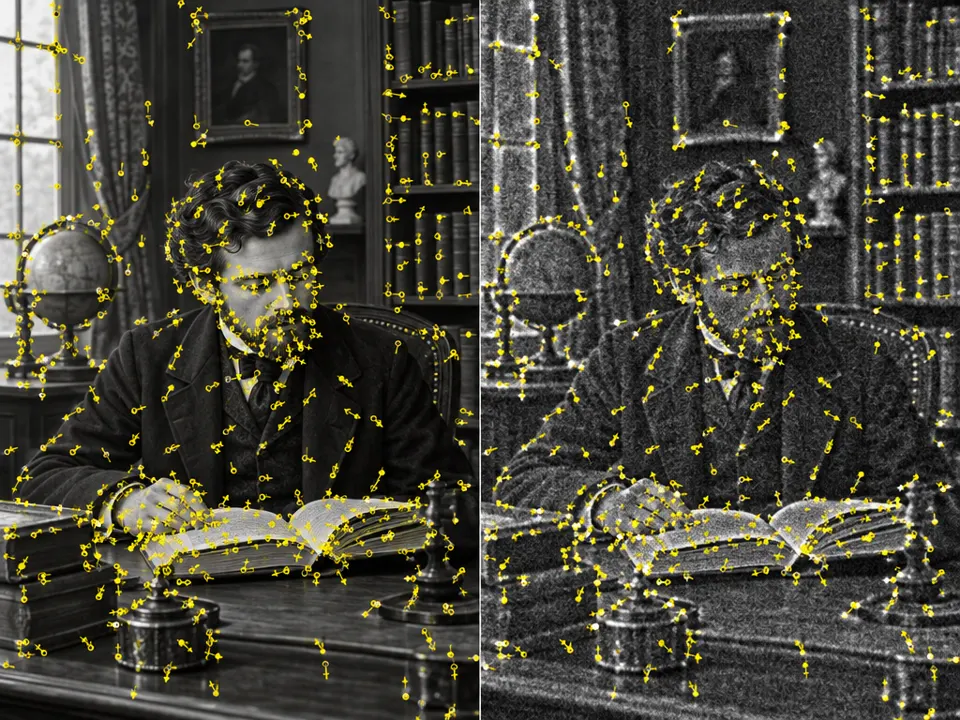
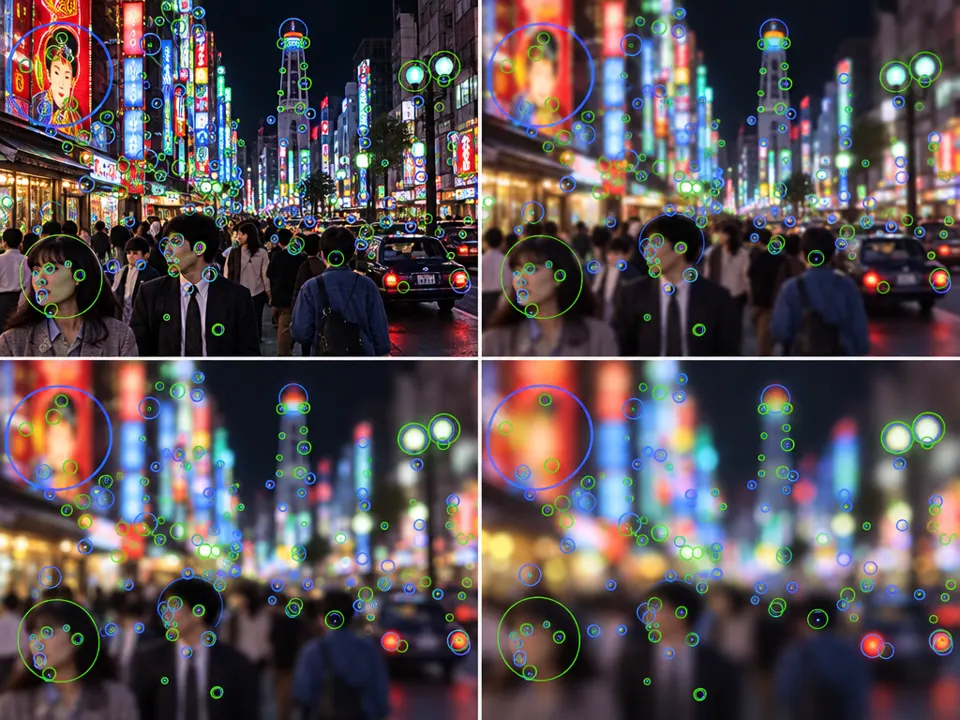
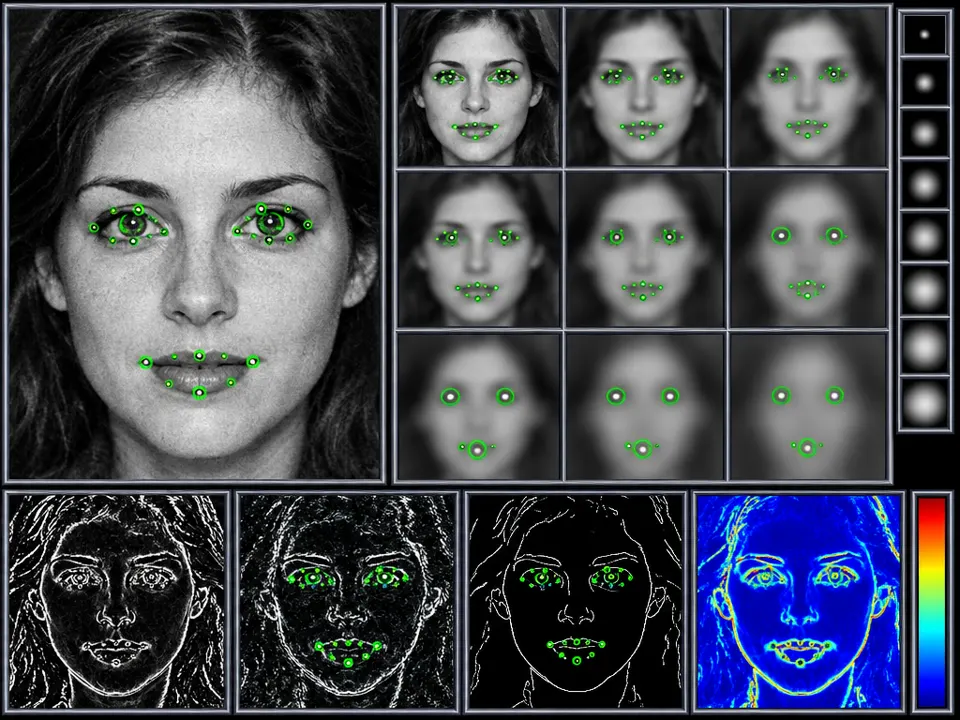
02Specific segment of a koilocyte, cropped by detecting blobs. This segment was processed using the SIFT algorithm to generate keypointsComputer vision software highlights detected local extrema in a biological image. These small circles represent keypoints identified by the SIFT algorithm across different scales and orientations to distinguish unique features in the cell.Alcaraz-Chavez, J.E.; Téllez-Anguiano, A.d.C.; Olivares-Rojas, J.C.; Martínez-Parrales, R. · CC BY 4.0 · Wikimedia Commons03Sift keypoints filteringDetected keypoints are overlaid on a building at different scales. It shows how SIFT identifies stable features in the image by filtering candidates across the Gaussian scale space.Lukas Mach at English Wikipedia · CC BY 3.0 · Wikimedia Commons04Pyramid of gradientsA woman's face processed into a Gaussian pyramid. The image shows both downsampling and increasing levels of blur, representing the multi-scale structure used to achieve scale invariance in feature detection.Siti_Nurhaliza.jpg: amrfum
derivative work: Indif (talk) · CC BY 2.0 · Wikimedia Commons05AI illustration: A side-by-side comparison shows keypoint detection in a library sceneA side-by-side comparison shows keypoint detection in a library scene. Local extrema are identified across different image resolutions to find stable features.Illustration generated for the Atlas (AI)06AI illustration: A street scene is processed through a Gaussian pyramid at four different A street scene is processed through a Gaussian pyramid at four different blur levels. The circles represent feature descriptors that remain invariant as image detail is reduced.Illustration generated for the Atlas (AI)07AI illustration: A face is shown alongside a grid of increasingly blurred Gaussian versionA face is shown alongside a grid of increasingly blurred Gaussian versions. Green markers identify stable keypoint extrema across these varying scales.Illustration generated for the Atlas (AI)