M 174 / 18308 AI Pipelinesschematic / technique preview

ControlNet Conditioning

Controlnet Conditioning. ai pipelines & generative controls
Typeface · Rajdhani

Schematic or classical approach — not a trained AI model output.
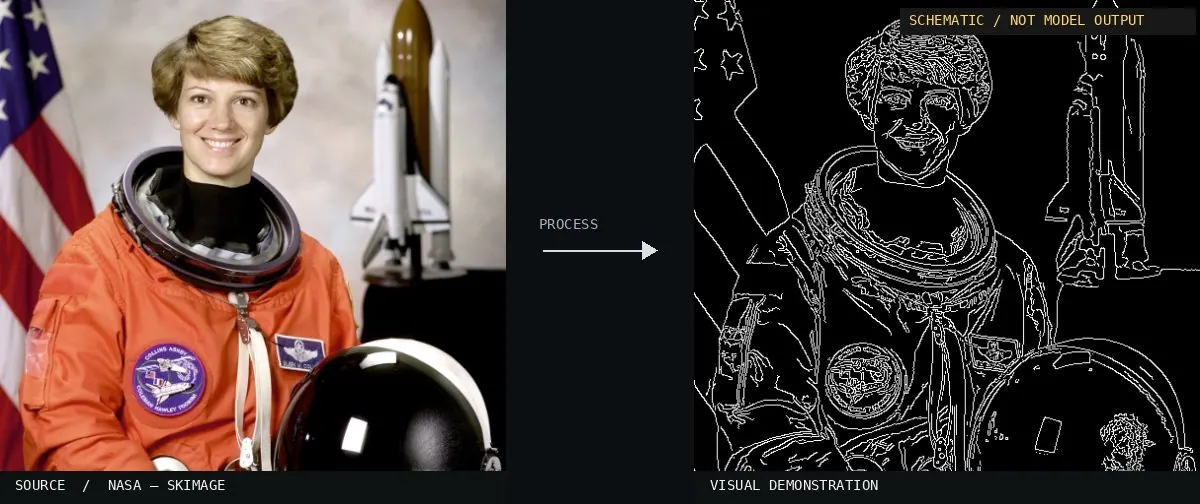
Schematic or classical approach — not a trained AI model output.Image: NASA / Eileen Collins · scikit-image (public domain)View source ↗

Prompt

Apply a ControlNet Conditioning visualization, retaining the photograph and extending the canvas with an aligned contour-map panel beside it. Show thin white structural lines on black, tracing the same silhouettes, facial landmarks, and major interior edges. Keep the map clean, without labels or interface elements. Keep the original subject and composition.

Identify

A contour map becomes visible next to the original photo.

Principle

Additional conditions such as edges or depth can structure diffusion1. Try varying the strength and preprocessor2.

Classification

Schematic visualization, not neural inference.

Further examples · 7 images

ControlNet Simplified Flow
02 ControlNet Simplified FlowA schematic diagram illustrates the logical workflow of ControlNet. It shows how reference images and text prompts interact with a secondary neural network to guide a frozen diffusion model.Zeusnighthammer · CC BY-SA 4.0 · Wikimedia Commons
SD.Next Screenshot for Control Elements
03 SD.Next Screenshot for Control ElementsA user interface shows various adjustment parameters for the technique. Visible sliders for strength, start, and end steps demonstrate how machine conditioning is modulated during the generation process.MrAlanKoh · CC0 · Wikimedia Commons
ControlNet Canny Control Weight 0.2
04 ControlNet Canny Control Weight 0.2This image shows the result of diffusion with a low control weight of 0.2. The lack of structural adherence illustrates how weakening the conditioning allows the base model to prioritize text over geometry.Automatic1111 · Public domain · Wikimedia Commons
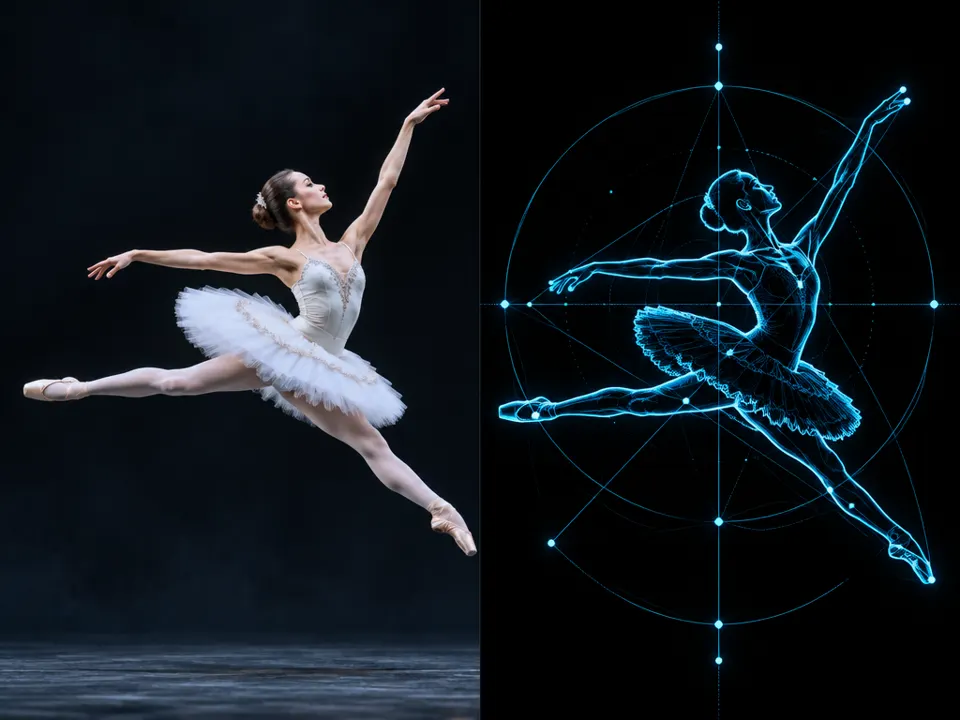
AI illustration: A photographic ballerina is placed alongside a technical pose estimation
05 AI illustration: A photographic ballerina is placed alongside a technical pose estimation A photographic ballerina is placed alongside a technical pose estimation map. This side-by-side comparison shows how anatomical keypoints and skeletal structures are extracted to guide the generative process.Illustration generated for the Atlas (AI)
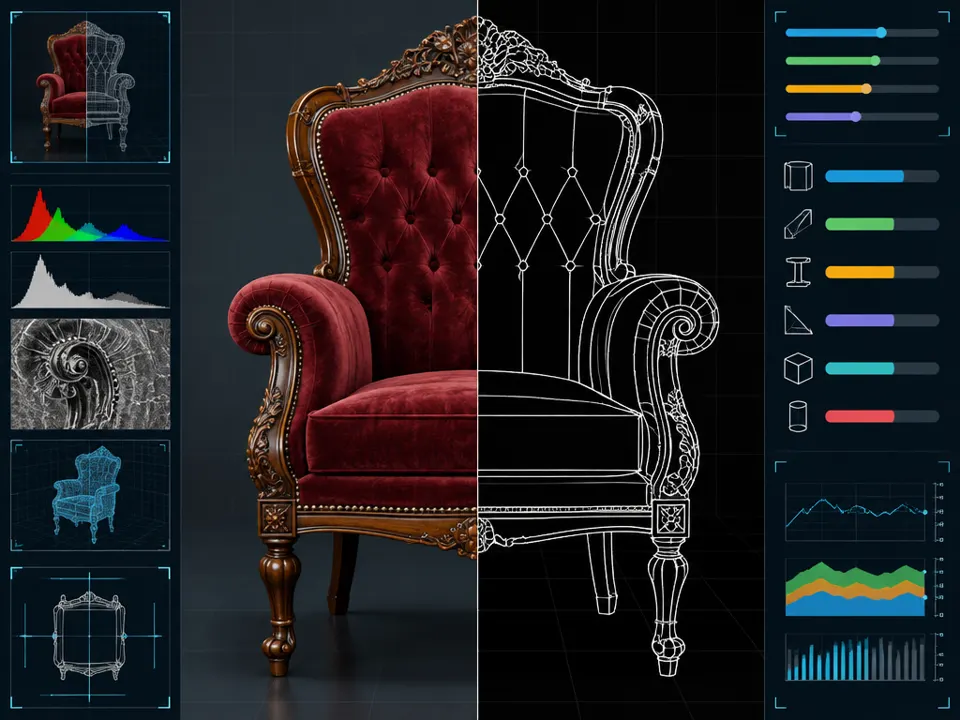
AI illustration: A chair is split between a photographic render and a white edge-detection
06 AI illustration: A chair is split between a photographic render and a white edge-detectionA chair is split between a photographic render and a white edge-detection wireframe. The interface includes parameter sliders, illustrating how specific structural edges are isolated to condition the final image generation.Illustration generated for the Atlas (AI)
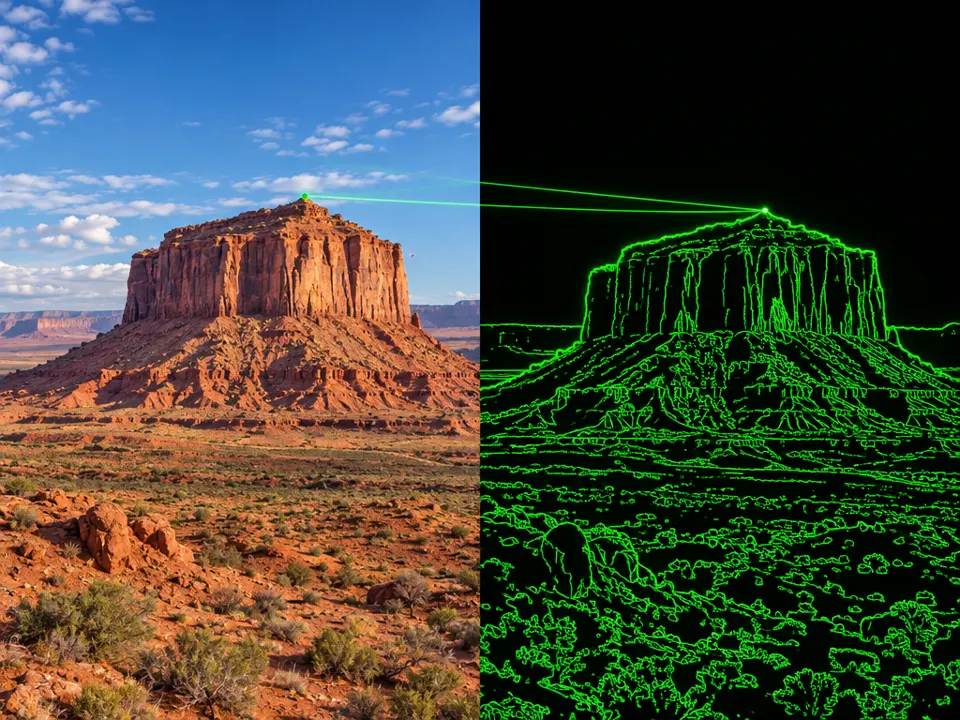
AI illustration: A desert landscape is paired with its green edge map
07 AI illustration: A desert landscape is paired with its green edge mapA desert landscape is paired with its green edge map. This illustrates how structural edges provide the spatial conditions used by ControlNet to guide image diffusion.Illustration generated for the Atlas (AI)